
|
Do it yourself
| |||
| ||||


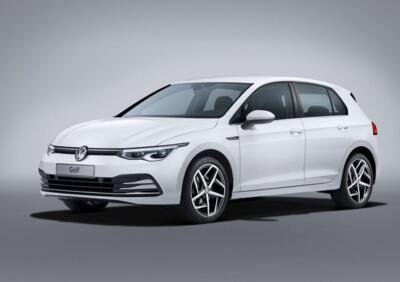
How to Reset the Tyre Pressure Warning Light on the 2021 Volkswagen Golf Hybrid
Model: Volkswagen Golf
MK 8, Golf 8, Golf Viii
- Years:
2019, 2020, 2021, 2022, 2023, 2024, 2025, 2026
Video tutorial
The video refers to a specific model, the 2021 Golf Hybrid. As a prerequisite, you should have checked the pressure of all four tyres, and once confirmed that the pressure is correct, turn on the ignition, press the vehicle icon, and select the "tyres" option: a screen will appear saying "check the pressure of the 4 tyres and set the correct values". Press the "ok" button to confirm and start the reset procedure. At this point, the warning light should turn off, and you should hear a confirmation beep. The procedure is now complete.
Posted on 27 May 2026 by ScegliAuto
Related tutorials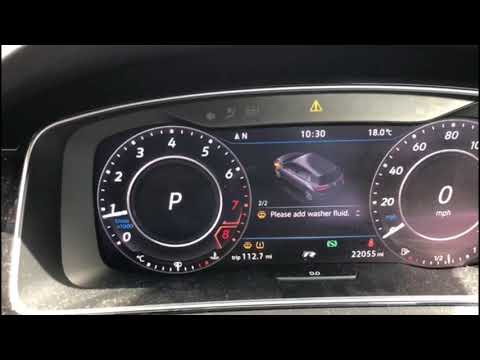
Volkswagen Golf
(2012-2019 /
MK 7, Golf 7, Golf VII)
Briefly, here are the instructions needed to reset the tyre pressure warning light on the Volkswagen Golf; before performing the reset, ensure all fo…

Volkswagen Golf
(2012-2019 /
MK 7, Golf 7, Golf VII)
To reset the tire pressure warning light on a Volkswagen Golf, turn on the instrument panel and access the onboard computer through the central infot…

Volkswagen Golf
(2012-2019 /
MK 7, Golf 7, Golf VII)
Here are the instructions to reset the tyre pressure warning light on the Volkswagen Golf. Before recalibrating the TPMS sensors, ensure all four tyr…
Other guides you may be interested in |
How to Reset the Tire Pressure Light on a MG ZS?
On the instrument cluster of the MG ZS, the tire pressure light that appears can be reset by inflating the tires to the correct pressure: this value will be indicated on the sticker attached to the driver's door pillar. Once the tires have been properly inflated, you can turn on the instrument cluster and navigate through the menu until you find the option that indicates tire pressure: if this screen shows the new values, the light will turn off; otherwise, you will need to drive for a few miles so that the sensors can read the new values and turn off the light afterward. by ScegliAuto More videos
|
|
For advertising on this site Write to info@scegliauto.com
ScegliAuto is not responsible for any inaccuracy of the data in the lists. To report any inaccuracy or your business (if you own the business in question), please write to info@scegliauto.com
Number of seconds to generate the page: 0.012
(c) ScegliAuto 2026 - info@scegliauto.com - Privacy policy VAT number: IT01247470535 |
