
|
Do it yourself
| |||
| ||||


How to Use the Infotainment System of the Volkswagen T-Roc
Model: Volkswagen T Roc
MK 1
- Years 2017-2025
Here is a brief guide with practical tips for using the infotainment system of your T-Roc. The Car-Net system replicates your device's functions on the screen, with various options depending on the available operating system. By connecting your smartphone via the USB port, it will be detected automatically. You can then interact with the device using the steering wheel controls, voice commands, or the 8-inch display. For example, with Android, a summary of the latest applications is displayed. With voice command, you can interact with Google and Spotify. Android's MirrorLink is compatible with Volkswagen applications: MyGuide (local activities), Think Blue Trainer (advises how to drive more efficiently), Sound Journey (suggests music based on your driving style), and Cam Connect allows you to connect a GoPro Hero.
Updated on 11 March 2026 by ScegliAuto
Video tutorial
Related tutorials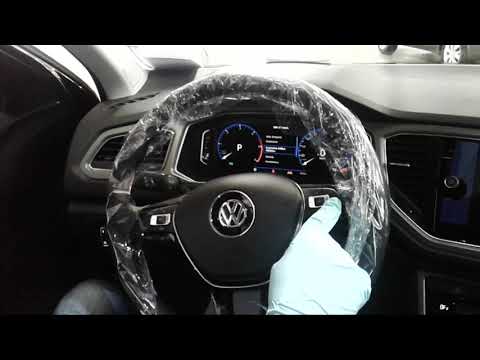
Volkswagen T Roc
(2017-2025 /
MK 1)
Before you can start, sit in the driver's seat of your Volkswagen T-Roc. The infotainment system consists of all the virtual controls within the onbo…
Volkswagen T Roc
(2017-2025 /
MK 1)
In this video tutorial, you can see how to restart the infotainment system on the Volkswagen T-Roc by following a few simple steps that will guide yo…

Volkswagen T Roc
(2017-2025 /
MK 1)
On the 2024 Volkswagen T-Roc, checking the service due date is done via the central infotainment display. Turn on the ignition (or start the engine).…
Other guides you may be interested in
|
How to reset the tyre pressure warning light on a Hyundai Tucson
Below are the instructions to reset the tyre pressure warning light (TPMS) on a Hyundai Tucson. First, get into the vehicle and turn on the instrument cluster; then navigate to the vehicle settings until you reach the tyre pressure monitor, identifying the tyre with incorrect pressure. At this point, restore all tyre pressures according to the specifications indicated on the label; this will reset the TPMS and the warning light will be cleared from the instrument cluster! by ScegliAuto More videos
|

|
For advertising on this site Write to info@scegliauto.com
ScegliAuto is not responsible for any inaccuracy of the data in the lists. To report any inaccuracy or your business (if you own the business in question), please write to info@scegliauto.com
Number of seconds to generate the page: 0.069
(c) ScegliAuto 2026 - info@scegliauto.com - Privacy policy VAT number: IT01247470535 |
