
|
Do it yourself
| |||
| ||||


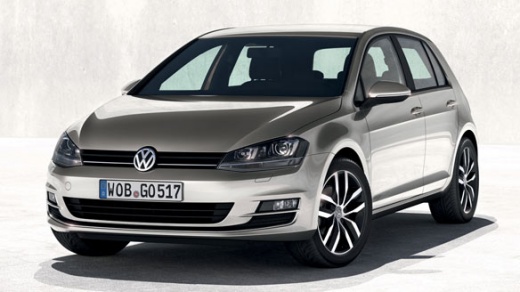
How to Activate Parking Assistance in the Golf 7
Model: Volkswagen Golf
Golf 7, Golf VII, MK 7
- Years:
2012, 2013, 2014, 2015, 2016, 2017, 2018, 2019
Video tutorial
In this video, you will learn how to activate parking assistance in the Golf 7. When you are about to park, position yourself a certain distance before the space where you intend to park to allow the onboard computer to detect the measurements. Once positioned, activate the automatic parking button located on the right side of the automatic gear console. Then press a second time to activate the detection system. Now start moving past the point where you want to park. Once stationary, engage reverse and wait for the automatic parking system to complete its process.
Updated on 19 May 2026 by ScegliAuto
Related tutorials
Volkswagen Golf
(2008-2012 /
MK 6, Golf 6, Golf VI, 5K1)
The parking assist mode is very useful when parking in tight spaces without making too many maneuvers, risking a long queue of cars behind yours. In …
Volkswagen Golf
(2012-2019 /
Golf 7, Golf VII, MK 7)
In this tutorial, you will see how to activate and deactivate Front Assist, the front collision avoidance system. First, note that the system is alwa…

Volkswagen Golf
(2008-2012 /
MK 6, Golf 6, Golf VI, 5K1)
In this video, see where the PDC (Park Distance Control) module is located on the Volkswagen Golf VI: it is the parking assistance control unit, a dr…
ScegliAuto offers an extensive international collection of automotive tutorials available in 12 languages. Each guide combines instructional videos with original explanations written by experienced human editors, along with information about the car models covered.
Other guides you may be interested in
|
How to Reset the Tire Pressure Light on the Land Rover Range Rover Evoque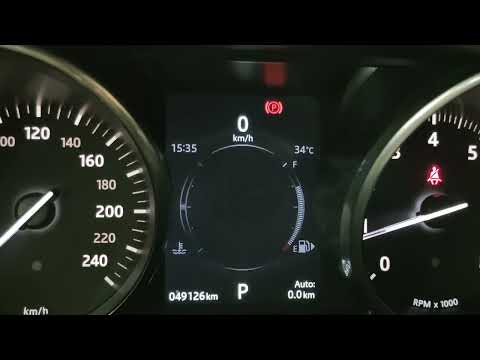
Today, let's go through the steps to reset the tire pressure light on the Land Rover Range Rover Evoque. First, get in the vehicle and turn on the ignition; then navigate to the settings on the onboard computer and select the tire pressure option to view the values, as shown in the video. At this point, restore the correct pressure in all four tires to clear the tire pressure warning light that appears on the instrument cluster! by ScegliAuto More videos
|
|
For advertising on this site Write to info@scegliauto.com
ScegliAuto is not responsible for any inaccuracy of the data in the lists. To report any inaccuracy or your business (if you own the business in question), please write to info@scegliauto.com
Number of seconds to generate the page: 0.043
(c) ScegliAuto 2026 - info@scegliauto.com - Privacy policy - About us VAT number: IT01247470535 |
