
|
Do it yourself
| |||
| ||||


How to Reset the TPMS Light on the 2011 Volkswagen Polo
Model: Volkswagen Polo
Polo 5, Polo V, MK 5, MK V, 6R
- Years 2009-2017
The orange tyre light indicates that one or more tyres have a pressure below the recommended limit. This can easily be resolved by inflating them correctly or replacing them in case of a puncture. After performing these actions, it is necessary to reset the light and the sensor to obtain new reading data. All you need to do is start the ignition and then fully open the glove compartment on the passenger side. Locate the two buttons in the right corner and press "Set". At this point, the reset is complete, and you can turn off the ignition.
Updated on 20 May 2026 by ScegliAuto
Video tutorial
Related tutorials
Volkswagen Polo
(2009-2017 /
Polo 5, Polo V, MK 5, MK V, 6R)
In this guide, we will see the instructions that will allow us to reset the tire pressure warning light of the Volkswagen Polo; before performing the…

Volkswagen Polo
(2017-2025 /
Polo VI, Polo 6, MK 6, AW1, MK VI)
This guide explains how to reset the tyre pressure monitoring system (TPMS) warning light on the Volkswagen Polo. Before performing the reset, ensure…
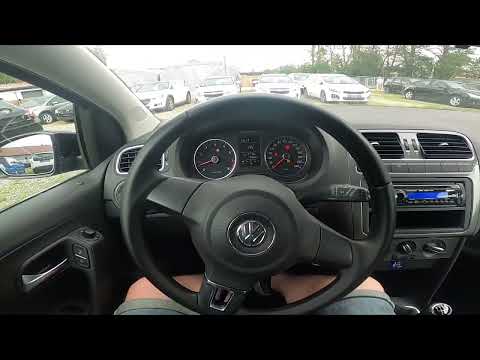
Volkswagen Polo
(2009-2017 /
Polo 5, Polo V, MK 5, MK V, 6R)
If the tyre warning light on your Volkswagen Polo Mk5 stays on every time you start the vehicle, despite no punctures or pressure losses, do not worr…
Other guides you may be interested in
|
How to open the fuel tank door in the Hyundai I20?
In this tutorial we can see how to open the fuel tank door in the Hyundai I20, a very simple operation similar to the typical procedure of many vehicles. First of all, let's go inside the cabin, it is not necessary to insert the key or unlock all the locks, then we locate and operate the lever located in the lower left area of the cabin, right next to the driver's seat. Once we have done this, we exit the vehicle, open the door completely and unscrew the fuel tank cap. To close the door, simply press it gently until you hear a click. by ScegliAuto More videos
|
|
For advertising on this site Write to info@scegliauto.com
ScegliAuto is not responsible for any inaccuracy of the data in the lists. To report any inaccuracy or your business (if you own the business in question), please write to info@scegliauto.com
Number of seconds to generate the page: 0.064
(c) ScegliAuto 2026 - info@scegliauto.com - Privacy policy VAT number: IT01247470535 |
