
|
Do it yourself
| |||
| ||||


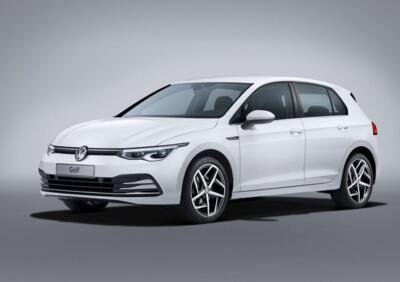
How to Use the Infotainment System in the Volkswagen Golf VIII
Model: Volkswagen Golf
MK 8, Golf 8, Golf Viii
- Years:
2019, 2020, 2021, 2022, 2023, 2024, 2025, 2026
Video tutorial
Learn how to use the infotainment system in the Volkswagen Golf VIII: the instrument cluster is fully digital and customisable. You can change it using the two buttons on the right side of the steering wheel; the right arrow will change the right side of the dashboard, and the left arrow will change the left side. Simply, using the up and down arrows, you can change the central part. With the "view" button, you can change the screen layout. From the screen, you can choose the type of clock to display. When the screen is on, you will find the menu icons, and by holding one, you can move it like on a smartphone. Scrolling right will reveal customisable widgets. There is no need to touch the screen; just get close! The square button allows you to return to the "home" page from anywhere. From the screen, you can access all the vehicle's features, such as climate control, which offers unexpected functionalities. Below the climate button, in the console, is the "mode" button to select the driving mode according to your current needs, which are highly customisable. The radio button allows you to tune into your favourite stations, and from the phone button, you can easily connect with your smartphone. The navigation system is smooth and intuitive. You can also activate or deactivate certain driving aids. The connection to Apple CarPlay or Android Auto can be done via cable or Bluetooth, and it is possible to connect as different users. There is also the "ambient lighting" application to choose the brightness and mood you prefer. And there is even an instruction manual.
Updated on 29 June 2026 by ScegliAuto
Related tutorials
Volkswagen Golf
(2019-2026 /
MK 8, Golf 8, Golf Viii)
In this tutorial, you will see how to restart the infotainment system in a Volkswagen Golf, a very simple operation to perform in various cases of ma…
Volkswagen Golf
(2019-2026 /
MK 8, Golf 8, Golf Viii)
In this video, we discuss navigation problems with the infotainment system on the Volkswagen Golf VIII, noted for its excessive slowness and loading …

Volkswagen Golf
(2019-2026 /
MK 8, Golf 8, Golf Viii)
To reset the infotainment system on the Volkswagen Golf, turn on the ignition by inserting the key into the ignition switch: once the ignition is on,…
Other guides you may be interested in
|
How to Replace the Glow Plugs in the Fiat Ducato 2.3 Multijet?
Glow plugs, as the name suggests, raise the temperature of the engine in diesel vehicles to allow for easier starting. The manufacturer, in this case, Fiat for the Ducato 2.3 Multijet, specifies how often they should be replaced, and a warning light will illuminate when it's time. This work is carried out under the bonnet. First, remove the upper engine cover, then lift the coil and, using a socket wrench of the appropriate size, unscrew the glow plug to remove it from the base, followed by installing the new one. by ScegliAuto More videos
|
|
For advertising on this site Write to info@scegliauto.com
ScegliAuto is not responsible for any inaccuracy of the data in the lists. To report any inaccuracy or your business (if you own the business in question), please write to info@scegliauto.com
Number of seconds to generate the page: 0.098
(c) ScegliAuto 2026 - info@scegliauto.com - Privacy policy VAT number: IT01247470535 |
