
|
Do it yourself
| |||
| ||||


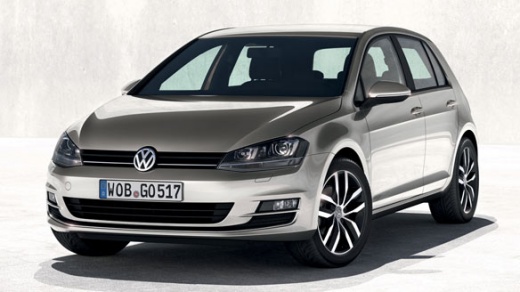
How to Activate Voice Commands on the Volkswagen Golf 7
Model: Volkswagen Golf
MK 7, Golf 7, Golf VII
- Years:
2012, 2013, 2014, 2015, 2016, 2017, 2018, 2019
Video tutorial
New Volkswagen models feature access to voice commands, a very useful function to avoid distractions while driving. To activate voice commands on a Volkswagen Golf 7, you need to download the Uconnect programme. Once downloaded, install it on the onboard computer by following the indicated steps. After entering the access code purchased with the programme, you will be able to access the voice commands. The car will then recognise your voice and follow the instructions you provide. You can still use the onboard computer with the touch.
Updated on 15 September 2026 by ScegliAuto
Related tutorials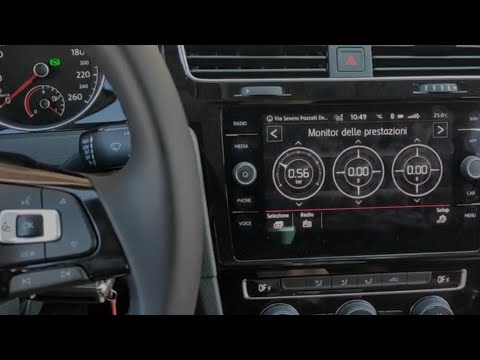
Volkswagen Golf
(2012-2019 /
MK 7, Golf 7, Golf VII)
In this video, you can see how to use voice commands on a Golf 7 by following a few simple steps: Almost all vehicles in the Volkswagen group have an…

Volkswagen Golf
(2012-2019 /
MK 7, Golf 7, Golf VII)
These short and simple instructions will show us how to activate the voice command of the multimedia system of the Volkswagen Golf. First, we get on …
Volkswagen Golf
(2012-2019 /
MK 7, Golf 7, Golf VII)
If you try to access the voice commands in the Volkswagen Golf 7 by pressing the VOICE button next to the touchscreen, or the corresponding button on…
Other guides you may be interested in
|
Frequently Asked QuestionsHow to Replace the Glow Plugs in the Fiat Ducato 2.3 Multijet?
Glow plugs, as the name suggests, raise the temperature of the engine in diesel vehicles to allow for easier starting. The manufacturer, in this case, Fiat for the Ducato 2.3 Multijet, specifies how often they should be replaced, and a warning light will illuminate when it's time. This work is carried out under the bonnet. First, remove the upper engine cover, then lift the coil and, using a socket wrench of the appropriate size, unscrew the glow plug to remove it from the base, followed by installing the new one. by ScegliAuto More videos
|
|
For advertising on this site Write to info@scegliauto.com
ScegliAuto is not responsible for any inaccuracy of the data in the lists. To report any inaccuracy or your business (if you own the business in question), please write to info@scegliauto.com
Number of seconds to generate the page: 0.029
(c) ScegliAuto 2026 - info@scegliauto.com - Privacy policy VAT number: IT01247470535 |
