
|
Do it yourself
| |||
| ||||


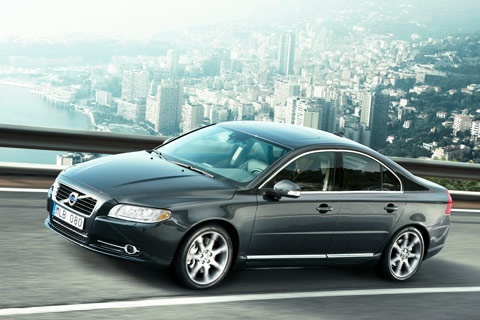
How to reset the service light on the Volvo S80?
Model: Volvo S80
MK 2
- Years 2006-2016
Video tutorial
Detailed instructions - In this tutorial, you will see how to reset the service light on the Volvo S80, a very simple and quick operation to perform only after completing all scheduled maintenance tasks. First, enter the cabin, then insert the key and press the start button once. Next, press and hold the 'T1/T2' button located on the right side of the dashboard, simultaneously turn on the instrument cluster, and keep the button pressed until the yellow 'i' starts to flash. To complete the procedure, simply restart the vehicle.
Posted on 7 October 2026 by ScegliAuto
Related tutorials
Volvo S80
(1999-2006 /
MK 1)
Resetting the service in the Volvo S80, as we can see in this tutorial, is an extremely simple and fast operation. Before proceeding, we must have co…

Volvo S80
(2006-2016 /
MK 2)
.. In this tutorial, you will see how to reset the service light on the Volvo S80, a very simple and quick operation to perform only after.. …

Volvo S80
(2006-2016 /
MK 2)
In this tutorial, we can see how to reset the service in the Volvo S80, an extremely simple and quick operation to be carried out only after completi…
Other guides you may be interested in
|
How to Set the Clock on a Toyota Yaris Cross
To adjust the clock on the Toyota Yaris Cross, start the car, press the button with the right arrow to navigate through the different screens; keep pressing until you reach a list, then press the "OK" button on the "clock" option; use the up or down arrow to set the desired hour, then scroll right to set the minutes and use the up or down arrow to select the desired minutes. Once the correct time is set, press the "OK" button, go back, and return to the main screen. Finally, turn off the car. by ScegliAuto More videos
|
|
For advertising on this site Write to info@scegliauto.com
ScegliAuto is not responsible for any inaccuracy of the data in the lists. To report any inaccuracy or your business (if you own the business in question), please write to info@scegliauto.com
Number of seconds to generate the page: 0.137
(c) ScegliAuto 2026 - info@scegliauto.com - Privacy policy VAT number: IT01247470535 |
