
|
Do it yourself
| |||
| ||||


|
Model: Yamaha Tracer 900
In order to set the clock of the Yamaha Tracer 900 GT, you need to turn on the instrument panel by inserting the key into the ignition switch: then you will need to hold down the MENU button located on the right handlebar lever until the screen appears where you can scroll to select the "Clock" option. Once this option has been selected, you can then proceed to modify both the minutes and hours using the MENU button and moving it up and down. After making the changes, you can confirm by turning off the instrument panel.
Posted on 20 November 2024 by ScegliAuto
Video tutorial
Related tutorials
Tracer 900
Follow these instructions to set the clock on the display of the instrument cluster of the Yamaha Tracer 900, as well as the MT-09. First, place the …

Tracer 900
If the display on your Yamaha Tracer 900 shows a different time than the correct one and you want to change it manually, simply read the following gu…

Tracer 900
In this tutorial, you will see how to remove the seat on the Yamaha Tracer 900, a very simple and quick operation, for example, if you need to replac…
|
How to Replace the Front Brake Pads on a Yamaha MT-125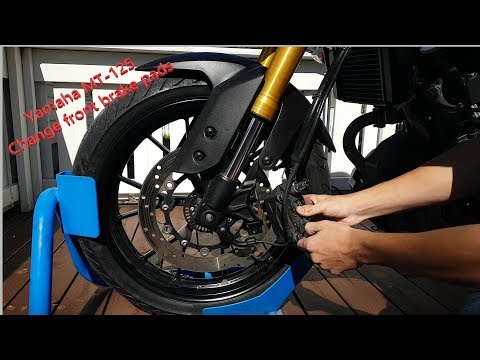
Follow these steps to remove and replace the front brake pads on the Yamaha MT-125. First, place the motorcycle on a stand and begin unscrewing the bolts securing the front brake caliper to remove it from the disc. Next, remove the brake pads inside by pressing the piston to retract it, as shown in the video. Clean the caliper of any residual dirt, then install the new high-quality pads; reassemble the braking system! by ScegliAuto More videos
|
|
For advertising on this site Write to info@scegliauto.com
ScegliAuto is not responsible for any inaccuracy of the data in the lists. To report any inaccuracy or your business (if you own the business in question), please write to info@scegliauto.com
Number of seconds to generate the page: 0.028
(c) ScegliAuto 2026 - info@scegliauto.com - Privacy policy VAT number: IT01247470535 |
