
|
Do it yourself
| |||
| ||||


Battery Replacement on Yamaha Majesty 400
Model: Yamaha Majesty 400
Video tutorial
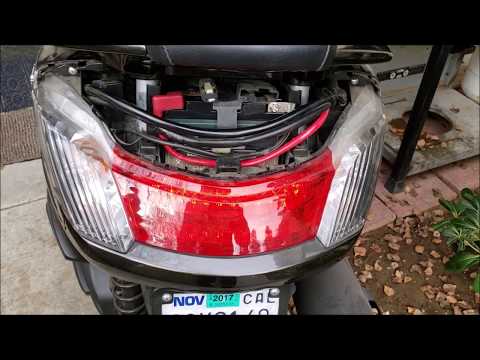
Lift the seat and observe the plastic cover at the back of the compartment: you will notice two small clips, similar to buttons, which you need to push with a small tool, like a flat screwdriver. Once done, remove them using the screwdriver. Now, with a plastic lever, remove the rear fairing above the headlamp. Disconnect the two battery terminals, starting with the negative terminal. Release the strap holding the battery in place and remove it. Insert the new battery and proceed in reverse for reassembly.
Updated on 14 April 2026 by ScegliAuto
Related tutorials
Majesty 400
In a few simple steps, we will see how to disassemble and replace the battery of the Yamaha Majesty 400. First, lift the seat and start unscrewing th…
Majesty 400
To replace the battery of the Yamaha Majesty 400, first loosen the screws securing the plastic cover located directly above the rear headlamp. Once t…
Majesty 400
If you notice the drive belt warning light on the dashboard of your Yamaha Majesty 400, do not worry because with the following guide you will be abl…
|
How to change the engine oil on the Aprilia Shiver 900?
To change the engine oil on the Aprilia Shiver 900, loosen the screws that secure the engine guard located at the bottom of the vehicle: once the screws are loosened, you can detach it and locate the drain plug of the oil sump. By removing this plug, you can collect all the used oil in a suitably placed container; at this point, allow all the oil to drain and remove the filter located at the bottom of the bike. Once the filter is replaced, top up the oil through the breather located on the right side of the bike. by ScegliAuto More videos
|
|
For advertising on this site Write to info@scegliauto.com
ScegliAuto is not responsible for any inaccuracy of the data in the lists. To report any inaccuracy or your business (if you own the business in question), please write to info@scegliauto.com
Number of seconds to generate the page: 0.006
(c) ScegliAuto 2026 - info@scegliauto.com - Privacy policy VAT number: IT01247470535 |
