
|
Do it yourself
| |||
| ||||


Model: Yamaha Mt 07
In this new mini guide dedicated to all you owners of the new Yamaha MT 07, we will discover how to correctly change the time displayed on the dashboard. First, insert the key and turn on the ignition. Immediately after, press the "Trip" button located on the left knob multiple times until you find the total kilometres travelled. At this point, press and hold the same button for 2 seconds and release it as soon as the time starts to flash. Now change both the hour and minute digits, and when finished, press the "Trip" button at the bottom to save the changes.
Updated on 18 July 2026 by ScegliAuto
Video tutorial
Related tutorials
Mt 07
Today we will see how to change the time on a Yamaha MT-07. Let's start the operation by turning on the vehicle's injection, then press the TRIP butt…

Mt 07
In this video we can see how to make some settings on the display of the Yamaha MT07: changing the time and the setting from miles to kilometers. Let…

Mt 07
Today we will see the instructions that will allow us to set the time on the display of the instrument panel of the Yamaha MT 07 motorcycle. First of…
|
How to Change the Engine Oil on a Beta RR 125?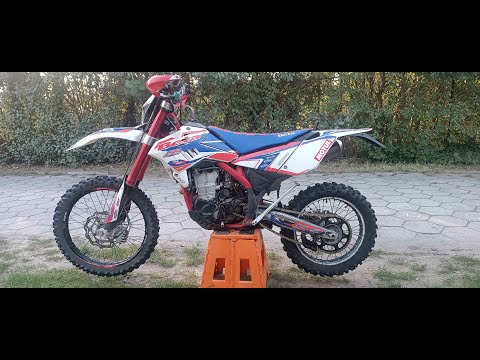
To change the engine oil on a Beta RR 125, loosen the drain plug located at the bottom centre of the bike. Once removed, collect all the used oil in a suitably positioned container. After the oil has completely drained, remove the oil filter next to the drain plug to replace it with a new part. Now, refill by adding the necessary amount of oil through the hole on the right side of the engine casing. by ScegliAuto More videos
|
|
For advertising on this site Write to info@scegliauto.com
ScegliAuto is not responsible for any inaccuracy of the data in the lists. To report any inaccuracy or your business (if you own the business in question), please write to info@scegliauto.com
Number of seconds to generate the page: 0.025
(c) ScegliAuto 2026 - info@scegliauto.com - Privacy policy VAT number: IT01247470535 |
