
|
Do it yourself
| |||
| ||||


Model: Yamaha Aerox
In this tutorial, we can see how to reset the service on the Yamaha Aerox scooter, an extremely simple and quick operation. Before proceeding, make sure you have completed all the required scheduled maintenance work. Let's start by inserting the key and turning on the instrument panel, then using the button located in the front area of the left handlebar, scroll through the various screens of the display. Once we reach the "Trip" option, hold down the same button for the necessary time until the interval starts flashing, turn off the panel, and turn it back on again.
Posted on 6 July 2023 by ScegliAuto
Video tutorial
Related tutorials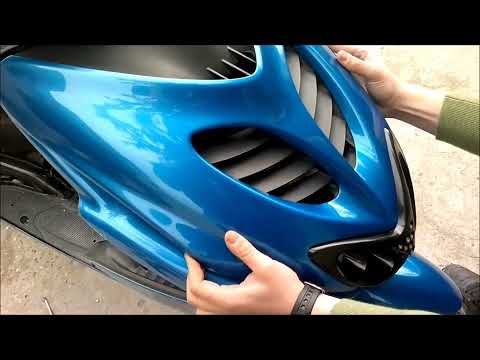
Aerox
Before we can get started, we'll need to head to the front side of our Yamaha Aerox scooter. So let's start by unscrewing and removing the screws tha…

Aerox
In this tutorial we can see how to replace the engine oil in the Yamaha Aerox scooter, an extremely simple and quick operation. First of all, make su…

Aerox
In this tutorial we can see how to replace the engine oil in the Yamaha Aerox 155 scooter, an extremely simple and fast operation. First of all, we w…
|
How to Update the Time on a Honda CBR 600 RR
In this video, we will see how to update the clock on the Honda CBR 600RR: turn on the ignition by turning the key to position one, then use the two buttons located on the left side of the dial. Press and hold both buttons for a few seconds to enter the mode that allows you to change the time, which will be indicated by the time, located at the bottom right of the dial, just below the total mileage, starting to flash. Change the hour using the two buttons: the upper button will allow you to change the hour, and pressing it will increment the number by one, while holding it will speed up the change. Pressing the upper button will switch to minutes, and repeat the operation. Confirm with the upper button. by ScegliAuto More videos
|
|
For advertising on this site Write to info@scegliauto.com
ScegliAuto is not responsible for any inaccuracy of the data in the lists. To report any inaccuracy or your business (if you own the business in question), please write to info@scegliauto.com
Number of seconds to generate the page: 0.022
(c) ScegliAuto 2026 - info@scegliauto.com - Privacy policy VAT number: IT01247470535 |
