
|
Do it yourself
| |||
| ||||


How to Reset the Service System on the Acura RLX
Model: Acura Rlx
KC2, KC1
- Years 2014-2020
When facing a reset issue with your Acura RLX, don't worry. Just follow the instructions in this video. First, turn on the ignition without starting the engine. Locate the message displayed and use the buttons on the steering wheel to scroll through the menu until you find the function indicating the issue. Once found, select it and reset it as shown in the video. Wait a few seconds to allow the system to complete the process. At this point, turn off the ignition and the reset is complete.
Updated on 7 July 2026 by ScegliAuto
Video tutorial
Related tutorials
Acura Rlx
(2014-2020 /
KC2, KC1)
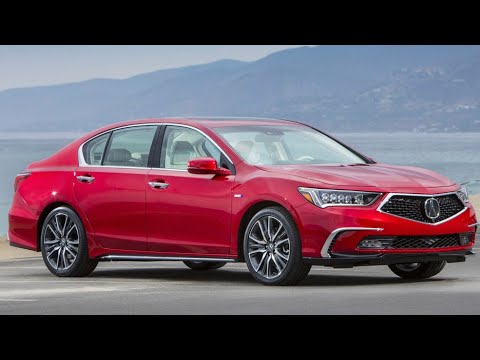
In this guide, we will look at the main instructions for removing and replacing the factory infotainment system with an Android one on an Acura RLX. …
Acura Rlx
(2014-2020 /
KC2, KC1)
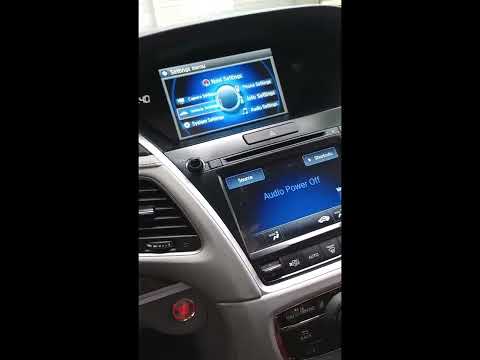
In this tutorial, you will see how to reset the service light on an Acura RLX, a very simple and quick operation that should only be performed after …
Acura Rlx
(2014-2020 /
KC2, KC1)
In this guide, you will learn how to manually reset the oil light on your 2020 Acura RLX. First, start the instrument cluster and the central onboard…
Other guides you may be interested in
|
How to Open a Stuck Boot on the Peugeot 407?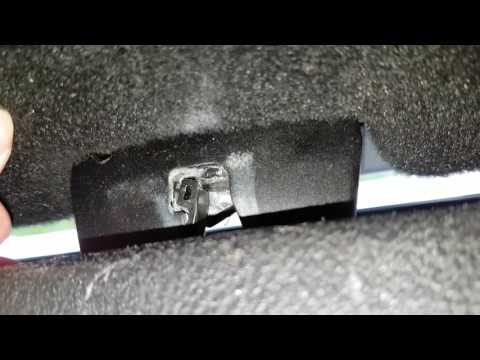
On the Peugeot 407, the boot may become stuck, possibly due to a problem with the control button or the lock actuator. In such cases, you can perform an emergency opening by following the simple procedure shown in this tutorial. First, open the rear doors, then lower the seat back by operating the release lever. Next, go inside the boot, locate the lock, and manually operate it using a flathead screwdriver. The boot will then be free to open. by ScegliAuto More videos
|
|
For advertising on this site Write to info@scegliauto.com
ScegliAuto is not responsible for any inaccuracy of the data in the lists. To report any inaccuracy or your business (if you own the business in question), please write to info@scegliauto.com
Number of seconds to generate the page: 0.232
(c) ScegliAuto 2026 - info@scegliauto.com - Privacy policy VAT number: IT01247470535 |
