
|
Do it yourself
| |||
| ||||


|
Model: Aprilia Scarabeo 200ie
You can adjust the clock on an Aprilia Scarabeo 200ie by inserting the ignition key into the corresponding lock: once the panel is on, press and hold the button located on the right side of the handlebar, noting that the minutes will start to flash. By repeatedly pressing the same button, you can change the minutes, and after making the adjustment, press and hold the button again: this will cause the hours to start flashing, which can be modified following the same procedure.
Posted on 4 March 2026 by ScegliAuto
Video tutorial
Related tutorials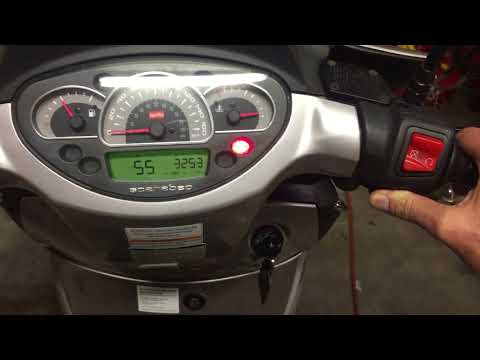
Scarabeo 200ie
To set the clock on an Aprilia Scarabeo 200, turn on the ignition by rotating the key in the ignition switch. This will allow you to press and hold t…

Scarabeo 200ie
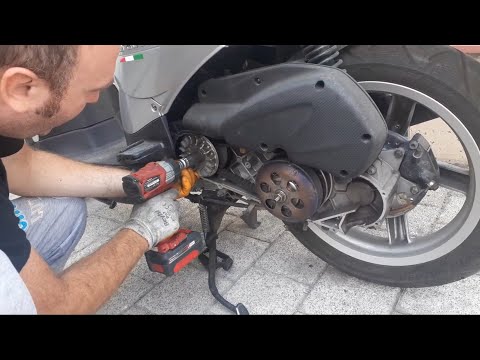
To replace the belt on the Aprilia Scarabeo 200ie, loosen the bolts securing the cover of the casing located on the right side of the bike, near the …
Scarabeo 200ie
This guide will show you the procedure to dismantle and replace the variator and belt of the Aprilia Scarabeo 200i scooter. First, place your scooter…
|
How do you replace the headlight bulb of the Sym Citycom 300?
In order to replace the headlight bulb of the Sym Citycom 300, you need to loosen the screws that secure the panels located at the front of the motorcycle fairing: once the fastening screws of these panels have been loosened, you can unscrew those on the inside of the front fairing, so that the latter can be removed from its seat. Now it will be possible to proceed by unscrewing the screws that secure the corresponding headlight, disconnecting its connector and removing the bulb inside; in this way you can reinstall the removed panels. by ScegliAuto More videos
|
|
For advertising on this site Write to info@scegliauto.com
ScegliAuto is not responsible for any inaccuracy of the data in the lists. To report any inaccuracy or your business (if you own the business in question), please write to info@scegliauto.com
Number of seconds to generate the page: 0.006
(c) ScegliAuto 2026 - info@scegliauto.com - Privacy policy VAT number: IT01247470535 |
