
|
Do it yourself
| |||
| ||||


|
Model: Aprilia Leonardo
This guide provides instructions to remove and replace the rear wheel bearing on the Aprilia Leonardo 125 scooter. First, place your scooter on the centre stand and begin by removing the exhaust silencer, followed by the rear wheel by unscrewing the fixing screws. Next, unscrew the screws of the brake disc, remove it, and access the bearing as shown in the video. Now, replace the bearing with the new one, using leverage to install it until it is fully seated, following the video to the end!
Updated on 10 June 2026 by ScegliAuto
Video tutorial
Related tutorials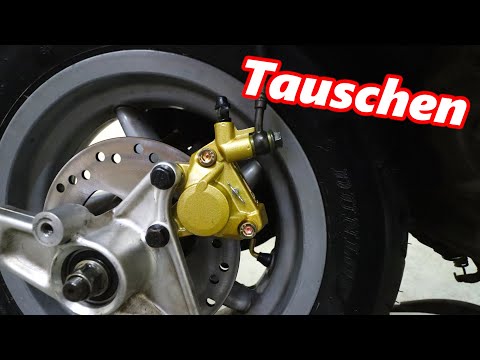
Leonardo
Below is the guide and instructions needed to remove and replace the rear wheel and rear brake disc on the Aprilia Leonardo 150 scooter. First, place…

Leonardo
In today's tutorial video, you will see the instructions to dismantle and replace the drive belt on the Aprilia Leonardo 125 scooter. First, place yo…
Leonardo
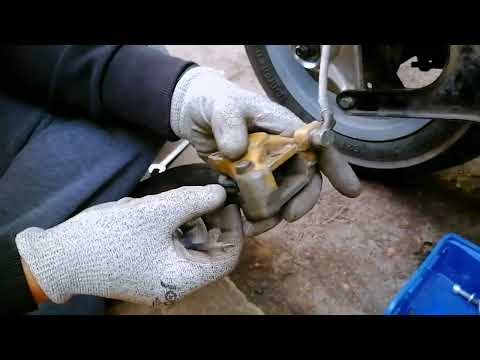
Today, discover the instructions that will allow you to remove and replace the rear brake pads of the Aprilia Leonardo 125 scooter. First, place your…
|
Where are the fuses located on the Piaggio Vespa GTS 125?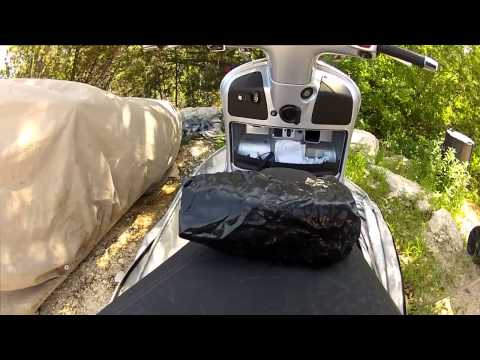
The fuses of the Piaggio Vespa GTS 125 are located inside the front fairing of the scooter: to access the fuse box, press the ignition switch fully. This will cause the panel located immediately below the ignition switch to open: the fuse box will be positioned inside this panel, in the upper left area. Inside the box, you will find the fuses that control the operation of the front headlamp, the horn, the ABS, etc. After removing the damaged old fuse, insert a new one with the same amperage. by ScegliAuto More videos
|
|
For advertising on this site Write to info@scegliauto.com
ScegliAuto is not responsible for any inaccuracy of the data in the lists. To report any inaccuracy or your business (if you own the business in question), please write to info@scegliauto.com
Number of seconds to generate the page: 0.006
(c) ScegliAuto 2026 - info@scegliauto.com - Privacy policy VAT number: IT01247470535 |
