
|
Do it yourself
| |||
| ||||


How to Change the Engine Oil of the Aston Martin Vantage?
Model: Aston Martin Vantage
MK 1
- Years 2005-2017
To change the engine oil of the Aston Martin Vantage, lift the car to access the underside of the engine bay. Here, unscrew the bolts securing the oil sump and remove it completely. Now, you can unscrew the engine oil drain plug and then remove the oil filter located next to it. Insert the new oil filter, close the plug, and reinstall the oil sump. Open the bonnet and top up with the necessary amount of engine oil.
Updated on 19 September 2026 by ScegliAuto
Video tutorial
Related tutorials
Aston Martin Vantage
(2005-2017 /
MK 1)
In this guide dedicated to your Aston Martin Vantage, you will learn how to correctly change the cabin air filter. To complete the operation, follow …
Aston Martin Vantage
(2020-2026 /
MK 2)
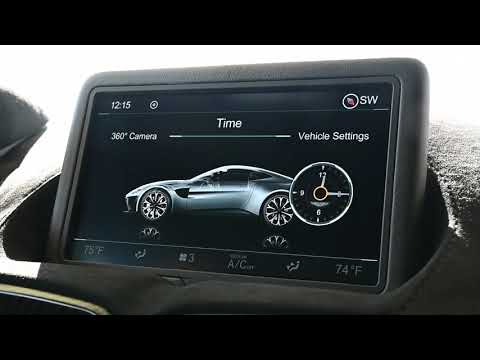
If the infotainment system display on your 2020 Aston Martin Vantage shows the wrong time and you are wondering how to change it manually, read this …

Aston Martin Vantage
(2020-2026 /
MK 2)
In this video, we will see how much it would cost to maintain an Aston Martin Vantage. Naturally, starting with the not insignificant sum of just und…
Other guides you may be interested in
|
Where is the Spare Wheel in the Peugeot 5008?
This video shows where the spare wheel is located in the Peugeot 5008 and how to access it, useful in case of a puncture. As shown, the wheel is not in the usual boot compartment but underneath it, outside the vehicle. To free the wheel, first gather the tools provided, then open the boot, locate the small indicated hatch, and open it. Next, loosen the bolt just released using the large socket wrench enough to lower the wheel to the ground. by ScegliAuto More videos
|
|
For advertising on this site Write to info@scegliauto.com
ScegliAuto is not responsible for any inaccuracy of the data in the lists. To report any inaccuracy or your business (if you own the business in question), please write to info@scegliauto.com
Number of seconds to generate the page: 0.135
(c) ScegliAuto 2026 - info@scegliauto.com - Privacy policy VAT number: IT01247470535 |
