
|
Do it yourself
| |||
| ||||


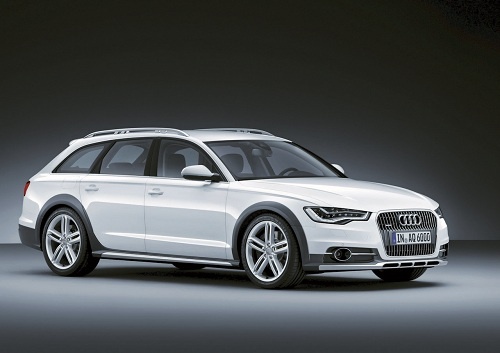
How to reprogram the panoramic roof of the Audi A6
Model: Audi A6
C7, MK 4
- Years:
2011, 2012, 2013, 2014, 2015, 2016, 2017, 2018
Video tutorial
The instructions in this guide will show us how to recalibrate and reprogram the panoramic roof of the Audi A6. First of all, we get into the car and start the instrument panel; then we press and hold the button to open the panoramic roof, holding it for about 30 seconds, as shown in the video. At this point, we perform the same operation by pressing the closing button, always holding it for about 30 seconds; in this way we will have correctly recalibrated the opening roof.
Posted on 15 December 2024 by ScegliAuto
Related tutorials
Audi A6
(1997-2004 /
MK 2, C5)
Through these brief and simple steps, you will learn how to program the remote key for the Audi A6. First, have both keys on hand, the already progra…

Audi A6
(2011-2018 /
C7, MK 4)
To program the key of the Audi A6, you need to insert the blank key into the corresponding ignition block: once the insertion is done, you can also c…
Audi A6
(2011-2018 /
C7, MK 4)
In the Audi A6, the multimedia system may freeze or show various signs of malfunction. In these cases, try to resolve the issue by restarting the sys…
Other guides you may be interested in |
How to reset the tyre pressure warning light on the Dacia Sandero?
The tyre pressure warning light that appears on the instrument cluster of the Dacia Sandero can be reset by inflating the tyres until they reach the correct pressure value: this value is indicated on the sticker attached to the driver’s door pillar. Once the inflation is complete, navigate through the menu that appears on the instrument cluster to find the option related to the tyres: select this with the OK button, which should then be held down for a few seconds to completely turn off the light. by ScegliAuto More videos
|
|
For advertising on this site Write to info@scegliauto.com
ScegliAuto is not responsible for any inaccuracy of the data in the lists. To report any inaccuracy or your business (if you own the business in question), please write to info@scegliauto.com
Number of seconds to generate the page: 0.009
(c) ScegliAuto 2026 - info@scegliauto.com - Privacy policy VAT number: IT01247470535 |
