
|
Do it yourself
| |||
| ||||


How to Set the Service Interval on an Audi A1
Model: Audi A1
MK 1, 8X
- Years 2010-2018
How to set the service interval on an Audi A1? This operation is very simple; enter the vehicle, turn on the ignition with the appropriate key, press the fixed button next to the speedometer, and scroll through the menu using the buttons on either side of the steering wheel until you find the reset option. Select the desired maintenance with the right button and confirm with the same button. Turn off the ignition after resetting the service and turn it back on to check the reset setting. Always remember to make service adjustments with the vehicle stationary and turned off.
Updated on 2 March 2026 by ScegliAuto
Video tutorial
Related tutorials
Audi A1
(2010-2018 /
MK 1, 8X)
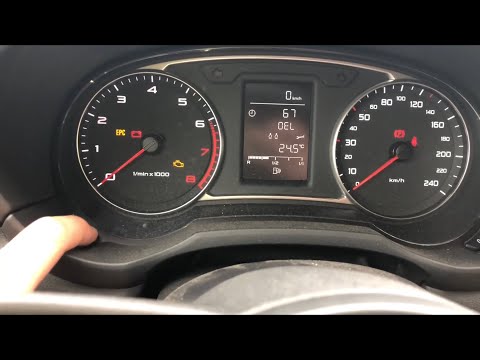
From the instrument panel of the Audi A1, you can reset the service light by inserting the key into the ignition and turning it to turn on the instru…
Audi A1
(2010-2018 /
MK 1, 8X)
In order to reset the Service light of the Audi A1, you need to insert the key and turn it to start the instrument panel. In this way, you will be ab…

Audi A1
(2010-2018 /
MK 1, 8X)
You can completely clear the Service light from the display of the Audi A1 by inserting the key and turning it to switch on the instrument cluster. T…
Other guides you may be interested in
|
Fuse Replacement on Fiat Grande Punto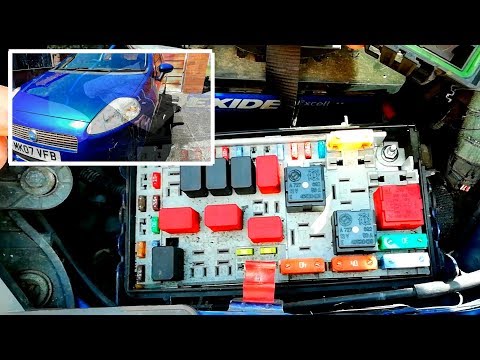
Fuse replacement on the Fiat Grande Punto? Let's see where they are located. Open the door and enter the cabin, then open the glove compartment in the front dashboard (you will find the fuses there). You will also find fuses in the engine compartment: open the front bonnet and remove the cover near the battery using a plastic lever. Use pliers to disconnect the damaged fuses located in the compartment. Once this is done, insert the new fuses into the designated slots in the compartment. Close the fuse inspection box with the cover. by ScegliAuto More videos
|

|
For advertising on this site Write to info@scegliauto.com
ScegliAuto is not responsible for any inaccuracy of the data in the lists. To report any inaccuracy or your business (if you own the business in question), please write to info@scegliauto.com
Number of seconds to generate the page: 0.131
(c) ScegliAuto 2026 - info@scegliauto.com - Privacy policy VAT number: IT01247470535 |
