
|
Do it yourself
| |||
| ||||


How to reset the service indicator light on the Audi A5
Model: Audi A5
8T3, 8T8, 8F, 8T
- Years 2007-2016
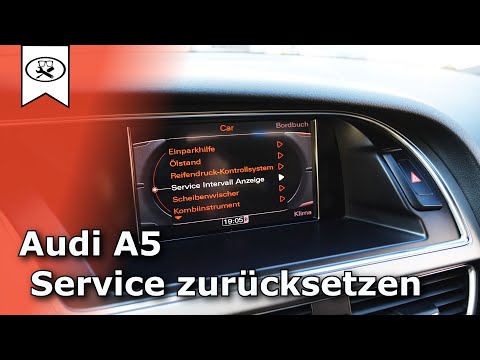
Today's instructions will show us how to reset the maintenance service light on the Audi A5. First, we get into the car and turn on the instrument panel; then we press the "car" button on the central dashboard and then go to the internal service option, as shown in the video. At this point, we select the service reset option, confirm it, and reset the maintenance key and service message from the instrument panel; finally, we turn off the panel and start the engine!
Posted on 16 September 2025 by ScegliAuto
Video tutorial
Related tutorials
Audi A5
(2018-2025 /
8W6)
To completely remove the Service indicator that appears on the instrument panel of the Audi A5, you will need to turn on the instrument panel by inse…
Audi A5
(2007-2016 /
8T3, 8T8, 8F, 8T)
In this guide, we will briefly see the instructions that will allow us to reset the service maintenance light for the regular oil change of the Audi …

Audi A5
(2018-2025 /
8W6)
The steps to reset the service light of the 2019 Audi A5 are as follows: The first step is to turn on the instrument panel and the onboard computer. …
Other guides you may be interested in
|
How to Remove the Centre Console on a Renault Scenic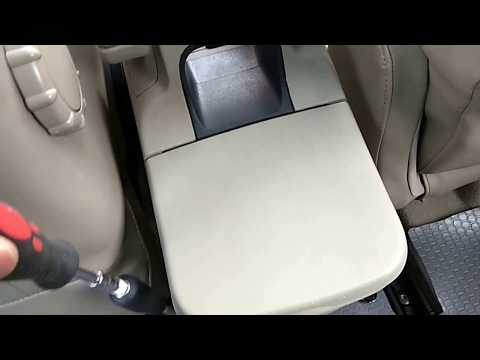
Watch this video to learn how to remove the glove compartment from the rear cover of the centre console on a Renault Scenic. Use a plastic lever to pry at the edge of the side plastics as shown in the video. Once the plastics are removed, unscrew the screws located at the sides of the centre console with a suitable screwdriver, and disconnect all the power connectors. Remove the side rests from the glove compartment. Fit the new piece onto the centre cover and proceed with the assembly of the remaining parts, working in reverse order. by ScegliAuto More videos
|

|
For advertising on this site Write to info@scegliauto.com
ScegliAuto is not responsible for any inaccuracy of the data in the lists. To report any inaccuracy or your business (if you own the business in question), please write to info@scegliauto.com
Number of seconds to generate the page: 0.119
(c) ScegliAuto 2026 - info@scegliauto.com - Privacy policy VAT number: IT01247470535 |
