
|
Do it yourself
| |||
| ||||



How to replace the gear knob of the Audi A4 B8
Model: Audi A4
B8
- Years:
2007, 2008, 2009, 2010, 2011, 2012, 2013, 2014, 2015, 2016
Video tutorial
In today's article, we will see how to replace the gear knob of the Audi A4 B8. For this operation, no tools or software are needed. To replace the gear knob, first set the gear to N in the case of automatic transmission, then pull the plastic fastener upwards as shown in the video tutorial to remove it. Once removed, you will have access to the fixing pin. Rotate it counterclockwise to loosen it, after loosening it enough, pull out the gear button, and pull the gear knob upwards to remove it. Once the old gear knob is removed, insert the new gear knob, rotate the pin clockwise to lock it, then insert the cover all the way and insert the plastic cover.
Posted on 2 October 2025 by ScegliAuto
Related tutorials
Audi A4
(2014-2024 /
B9)
If you want to replace the gear knob of your Audi A4 yourself, which is located inside the cabin, you just need to follow the steps described in the …

Audi A4
(2007-2016 /
B8)
To activate the fog lights on the Audi A4, first turn on the headlights by rotating the knob located on the dashboard to the left of the steering col…
Audi A4
(2007-2016 /
B8)
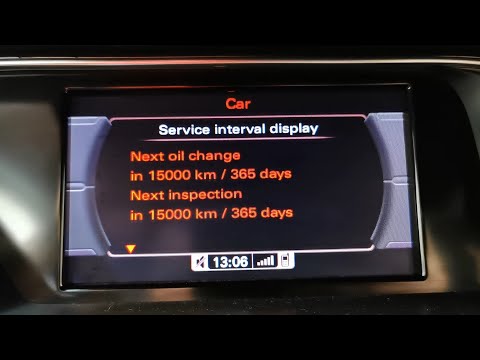
Today, you will learn in this brief and simple guide how to reset the maintenance light for the oil change service on an Audi A4. First, get in the v…
Other guides you may be interested in
|
How to Reset the Tyre Pressure Warning Light on the Jeep Renegade?
To reset the tyre pressure warning light on the Jeep Renegade, inflate the tyres until they reach the recommended pressure: this value is indicated on the sticker attached to the driver’s door pillar. Once the tyres are properly inflated, navigate through the menu that appears on the instrument cluster until you find the tyre pressure option. At this point, press and hold the OK button on the right side of the steering wheel to make the warning light disappear. by ScegliAuto More videos
|
|
For advertising on this site Write to info@scegliauto.com
ScegliAuto is not responsible for any inaccuracy of the data in the lists. To report any inaccuracy or your business (if you own the business in question), please write to info@scegliauto.com
Number of seconds to generate the page: 0.056
(c) ScegliAuto 2026 - info@scegliauto.com - Privacy policy VAT number: IT01247470535 |
