
|
Do it yourself
| |||
| ||||



Video tutorial
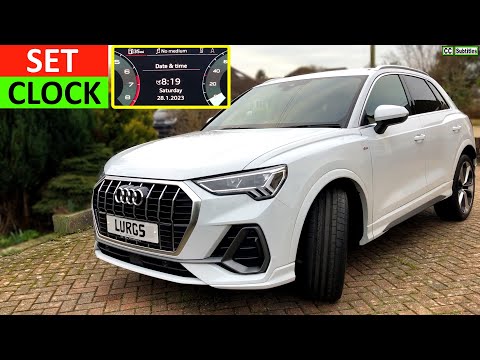
To set the time and date in an Audi Q3, turn on the instrument cluster or the multimedia system without necessarily starting the engine. On the central display, press the "MENU" button and access the "Settings" section of the MMI system. Within the menu, select the "Date and Time" option. If the automatic setting is active, you can disable it to manually adjust the values. Adjust the time using the central knob or touch controls, then move on to setting the date by entering the correct day, month, and year. After entering the desired values, confirm the changes and return to the main screen. Finally, verify that the time and date displayed on the screen are correct and up to date.
Posted on 9 April 2026 by ScegliAuto
Related tutorials
Audi Q3
(2011-2018 /
8U)
In this article we will show you how to adjust the clock of the on-board computer of the Audi Q3. The procedure does not require tools and takes litt…
Audi Q3
(2018-2025 /
F3)
In this new mini guide dedicated to all of you Audi Q3 owners (model years 2018-2023), discover the steps to manually set the system time. First, get…

Audi Q3
(2011-2018 /
8U)
Today we will explain how to set the language on the onboard computer of the 2018 Audi Q3. To set the language, turn on the instrument panel and pres…
Other guides you may be interested in
|
How to Open the Fuel Filler Flap in the Hyundai i30?
In this tutorial, you will learn how to open the fuel filler flap in the Hyundai i30, a very simple operation that follows the typical procedure of most vehicles. First, unlock the locks using the designated button on the remote, then open the driver's door, locate the release lever on the left side of the seat, and operate it. Next, move to the fuel filler flap, open it completely, unscrew the cap, and refuel as needed. To close the flap, simply press it gently. by ScegliAuto More videos
|
|
For advertising on this site Write to info@scegliauto.com
ScegliAuto is not responsible for any inaccuracy of the data in the lists. To report any inaccuracy or your business (if you own the business in question), please write to info@scegliauto.com
Number of seconds to generate the page: 0.026
(c) ScegliAuto 2026 - info@scegliauto.com - Privacy policy VAT number: IT01247470535 |
