
|
Do it yourself
| |||
| ||||


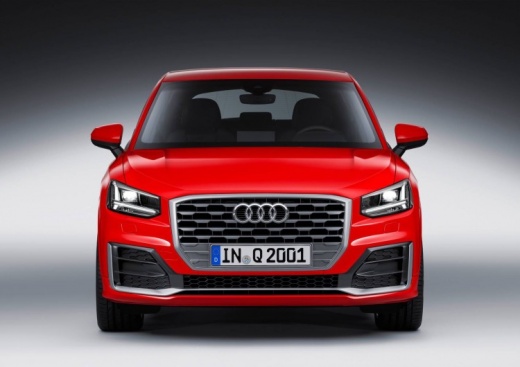
How to change the language of the onboard computer in the Audi Q2?
Model: Audi Q2
MK 1
- Years:
2016, 2017, 2018, 2019, 2020, 2021, 2022, 2023, 2024
Video tutorial
You can change the language of the onboard computer in the Audi Q2 by turning on the instrument cluster and navigating through the menu that appears on the central display of the dashboard: before accessing the screen, press the MENU button located on the central tunnel of the car. The desired screen will then appear, where you need to select the "Settings" option: then you can select the "Language" option and subsequently choose the language you wish to set. Returning to the initial screen will allow you to verify that the menu language has been set.
Posted on 28 August 2026 by ScegliAuto
Related tutorials
Audi Q2
(2016-2024 /
MK 1)
Modern cars, especially the latest and well-equipped models, are fitted with numerous assistance devices for both emergencies and the comfort of the …

Audi Q2
(2016-2024 /
MK 1)
Today we will explain how to reset the service light, related to the car service, on an Audi Q2 vehicle independently. To reset the light, we need to…

Audi Q2
(2016-2024 /
MK 1)
If you want to understand how to manually reset the service light on your Audi Q2, just pay attention to the following guide. First of all, get into …
Other guides you may be interested in
|
Where to Find the Fuses of the Citroen C3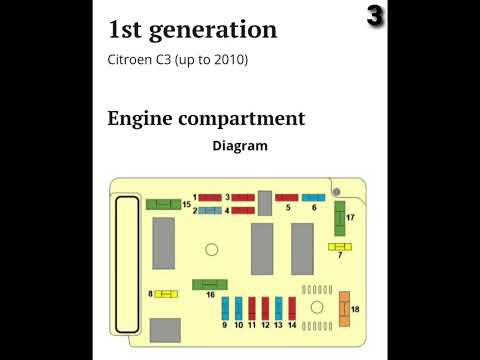
The fuse box of the Citroen C3 in the engine compartment is located behind the battery near the headlamp; to access the fuses, remove the cover by moving the side tabs. The fuse box in the cabin is situated at the bottom of the dashboard, above the pedals; to access the fuses, simply remove a small cover (where applicable). To replace a fuse, use small pliers to grasp the fuse to be changed and pull it out; if the bridge inside the fuse is broken, the fuse needs to be replaced; otherwise, the fuse is functioning. If the fuse needs to be replaced, use one with the same amperage to avoid malfunctions. by ScegliAuto More videos
|
|
For advertising on this site Write to info@scegliauto.com
ScegliAuto is not responsible for any inaccuracy of the data in the lists. To report any inaccuracy or your business (if you own the business in question), please write to info@scegliauto.com
Number of seconds to generate the page: 0.039
(c) ScegliAuto 2026 - info@scegliauto.com - Privacy policy VAT number: IT01247470535 |
