
|
Do it yourself
| |||
| ||||



How to Resolve Component Protection Issues on Audi Vehicles Using ODIS Software
Model: Audi Q5
MK 2, 80A
- Years:
2017, 2018, 2019, 2020, 2021, 2022, 2023, 2024, 2025
This video is currently unavailable
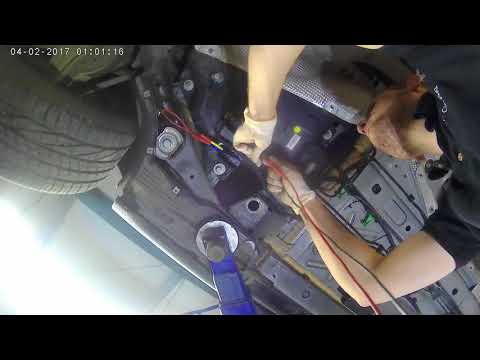
Let’s see how to resolve the component protection issue on an Audi vehicle using ODIS software. In this case, a control module (the climate control) was replaced, and the system shows a "component protection" error, so the climate control does not function properly due to coding issues. You need a laptop with ODIS software installed and an active Geco account (this is just a paid subscription that allows access to the manufacturer’s server online). The diagnostic interface must be VAS6154, VNCI6154, or Tabscan6154C. Perform an initial scan by logging in with the GECO account. Once the connection is established, execute the component protection release procedure, and the protection will be successfully removed. Proceed with the software version management to code and configure the climate control unit correctly based on the vehicle's specific equipment: ensure that all systems are functioning properly.
Posted on 20 September 2026 by ScegliAuto
Related tutorials
Audi Q5
(2008-2017 /
MK 1, 8R)
In this brief and simple guide, we will look at the instructions that will allow us to remove the component protection in case of updates or unlockin…
Audi Q5
(2008-2017 /
MK 1, 8R)
When the AdBlue warning light appears on the dashboard of the Audi Q5, it indicates that there may be several issues related to this system: if you h…

Audi Q5
(2008-2017 /
MK 1, 8R)
If you are trying to troubleshoot the sudden shutdown of an electrical component in the Audi Q5, it will be helpful to know the location of the fuse …
Other guides you may be interested in |
Where are the fuses located on the Renault Laguna?
On the Renault Laguna, the fuses are located inside the fuse boxes installed in the vehicle: in this car model, you will find two boxes for containing the fuses. The first is in the fuse box on the left side of the dashboard, accessible by opening the driver's door: here you will find the fuses for the windscreen wipers, fog lights, horn, etc. The second box is located on the right side of the engine compartment: here you will find the fuses for the dipped headlights, radiator fan, alternator, etc. by ScegliAuto More videos
|
|
For advertising on this site Write to info@scegliauto.com
ScegliAuto is not responsible for any inaccuracy of the data in the lists. To report any inaccuracy or your business (if you own the business in question), please write to info@scegliauto.com
Number of seconds to generate the page: 0.012
(c) ScegliAuto 2026 - info@scegliauto.com - Privacy policy VAT number: IT01247470535 |
