
|
Do it yourself
| |||
| ||||


How to reset the TPMS warning light on the Audi Q2
Model: Audi Q2
MK 1
- Years 2016-2024
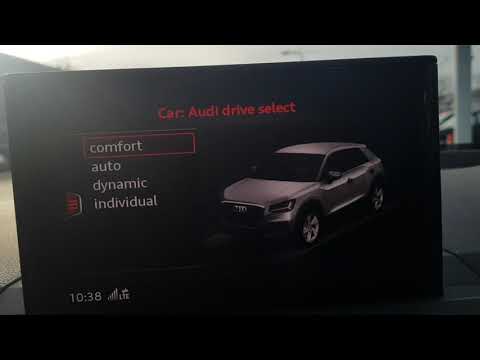
If you have just replaced or inflated one or more tires on your 2016 Audi Q2 then you must necessarily reset the pressure values in order to eliminate the warning light (or message). First insert the key and start the car ignition. Then press the "Menu" button and use the knob to navigate within it. Select the "Car" item and press the button to the left of the knob to access the secret menu. At this point, enter "Servicing and Checks". Select the item relating to the tire pressure and confirm that you wish to carry out the reset. A few moments later you are done.
Posted on 2 April 2022 by ScegliAuto
Video tutorial
Related tutorials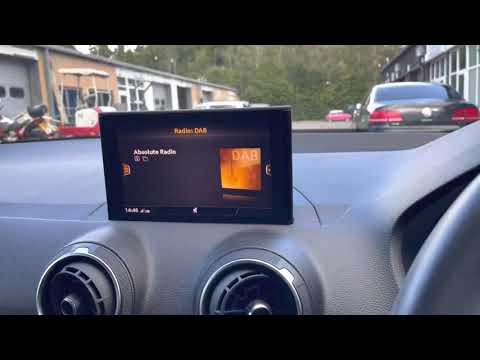
Audi Q2
(2016-2024 /
MK 1)
Let's see in this guide how to reset the tire pressure warning light on the Audi Q2. First of all we get in the car and turn on the instrument panel;…

Audi Q2
(2016-2024 /
MK 1)
In order to reset the Audi Q2 Service warning light, you need to turn on the instrument panel and then press the MENU button located on the central t…
Audi Q2
(2016-2024 /
MK 1)
In this tutorial we can see how to reset the tire warning light in the Audi Q2, a very simple and quick operation, to be carried out after restoring …
Other guides you may be interested in
|
How to Replace the Radio in a Ford Focus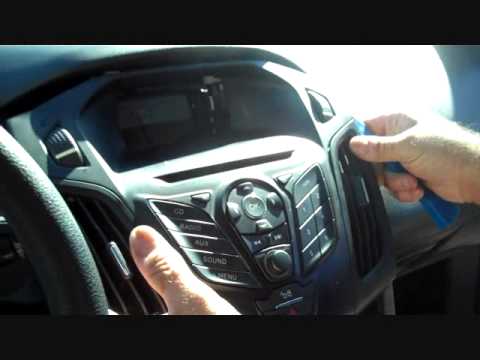
First, engage the handbrake and put the car in a low gear to prevent it from rolling during the replacement. Next, lift the bonnet to disconnect the battery cables and protect the electronic components. Unscrew the two screws located under the front panel of the stereo. Use a plastic lever to lift the bottom of the stereo. Disconnect the connector at the bottom and also remove the stereo lock at the back. Now, install the new stereo following the guides from the old one. by ScegliAuto More videos
|
|
For advertising on this site Write to info@scegliauto.com
ScegliAuto is not responsible for any inaccuracy of the data in the lists. To report any inaccuracy or your business (if you own the business in question), please write to info@scegliauto.com
Number of seconds to generate the page: 0.094
(c) ScegliAuto 2026 - info@scegliauto.com - Privacy policy VAT number: IT01247470535 |
