
|
Do it yourself
| |||
| ||||


How to reset the partial kilometers of the Audi A6
Model: Audi A6
MK 5, C8
- Years 2018-2026
If you want to manually reset the partial kilometers item that appears on the instrument panel of your Audi A6, just follow the instructions in our new mini guide. First, turn on the ignition and press the right arrow button to navigate within the on-board computer menu. At this point, press the wheel located on the left side of the steering wheel, scroll down and select "Reset km". Wait a few moments and the reset is completed successfully. All that remains is to go back and permanently switch off the ignition of your Audi A6.
Posted on 10 September 2022 by ScegliAuto
Video tutorial
Related tutorials
Audi A6
(2011-2018 /
C7, MK 4)
Today we will explain how to naturally eliminate the condensation that has formed inside the front headlight of the car. To show you how to carry out…

Audi A6
(2011-2018 /
C7, MK 4)
In order to reset the Service light of the Audi A6, you must turn on the instrument panel and then start the engine, inserting the ignition key into …

Audi A6
(2011-2018 /
C7, MK 4)
Today's information will allow us to reset the service light for the regular maintenance of the oil change for the Audi A6. First, we get on board th…
Other guides you may be interested in
|
How to Replace the Gear Shift Gaiter of the Honda CR-V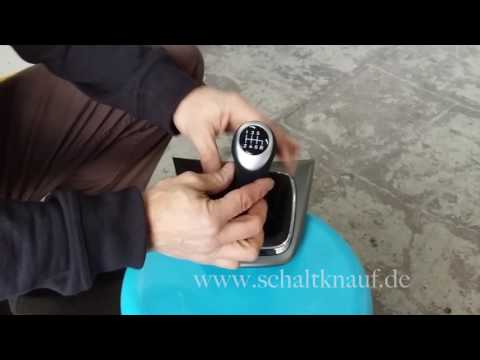
You can purchase an aftermarket gear shift cover complete with a knob, made of leather with coloured stitching. The disassembly is quite straightforward: start by unscrewing the gear shift knob by twisting it. Next, detach the trim at the base of the gear lever by prying along the edges. Then, remove the chrome trim that holds the gaiter in place, peeling off the leather edges from the plastic support. Apply new double-sided adhesive to the plastic tabs to insert and stick the edges of the new gaiter, securing it with the chrome trim. Finally, fit the gaiter complete with the knob onto the gear lever, securing it with the appropriate screws and reattaching the trim to the tunnel support. by ScegliAuto More videos
|

|
For advertising on this site Write to info@scegliauto.com
ScegliAuto is not responsible for any inaccuracy of the data in the lists. To report any inaccuracy or your business (if you own the business in question), please write to info@scegliauto.com
Number of seconds to generate the page: 0.077
(c) ScegliAuto 2026 - info@scegliauto.com - Privacy policy VAT number: IT01247470535 |
