
|
Do it yourself
| |||
| ||||


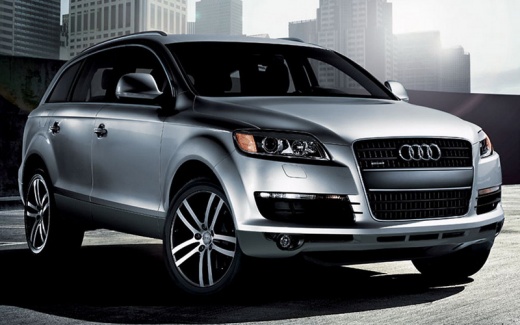
How to Connect Your Smartphone to the Audi Q7?
Model: Audi Q7
MK 1, 4L
- Years:
2006, 2007, 2008, 2009, 2010, 2011, 2012, 2013, 2014, 2015
Video tutorial
As shown in this tutorial, connecting your smartphone to the Audi Q7 is an extremely simple and quick operation. First, turn on the instrument cluster, then activate Bluetooth on your smartphone and press the button depicting a phone located on the center console of the car. Next, select the option "Search for a new mobile phone," wait for the search to complete, and select your device once it appears in the list. At this point, just confirm the pairing code that appears on both displays.
Updated on 26 June 2026 by ScegliAuto
Related tutorials
Audi Q7
(2015-2026 /
4M, MK 2)
To replace the battery in an Audi Q7, lift the carpet located in the lower part of the passenger footwell. Once the carpet is removed, detach the und…
Audi Q7
(2015-2026 /
4M, MK 2)
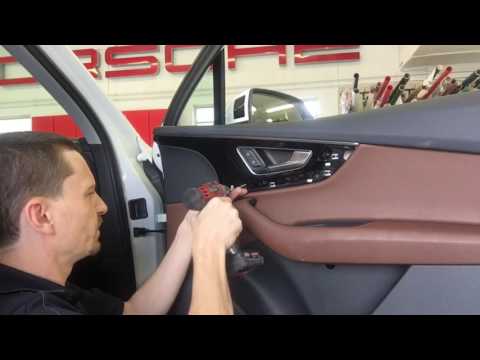
To replace the door panel of the Audi Q7, use a tool as a lever to lift the trim around the inner handle. Once removed, loosen all the screws underne…

Audi Q7
(2006-2015 /
MK 1, 4L)
If you need to remove the external handle attached to the door, you do not need to remove the door panel; you must use a special tool that allows you…
Other guides you may be interested in |
How to Activate the Automatic Folding and Unfolding of the Wing Mirrors on the Jeep Compass
Follow these brief instructions to activate the automatic folding and unfolding of the external wing mirrors on the Jeep Compass. First, get inside the vehicle and turn on the ignition; then press the button located beneath the mirror glass adjustment to electrically open the mirror, as shown in the video. Pressing the button in the opposite direction will close the mirrors; by holding the button, the mirrors will open and close automatically! by ScegliAuto More videos
|
|
For advertising on this site Write to info@scegliauto.com
ScegliAuto is not responsible for any inaccuracy of the data in the lists. To report any inaccuracy or your business (if you own the business in question), please write to info@scegliauto.com
Number of seconds to generate the page: 0.018
(c) ScegliAuto 2026 - info@scegliauto.com - Privacy policy VAT number: IT01247470535 |
