
|
Do it yourself
| |||
| ||||


|
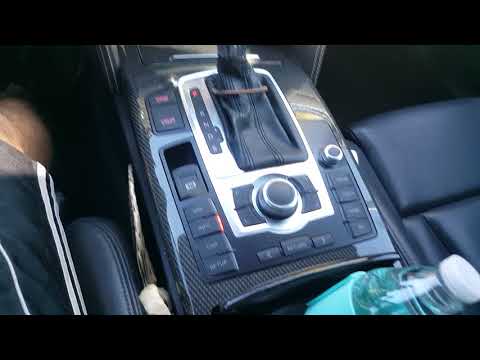
In this new mini guide dedicated to your 2010 Audi A6 (third generation), discover the steps to manually change the system time displayed on the small central screen. First, insert the key and turn on the ignition. Next, press the "Setup" button located below the gear lever and select the "Time" option. Finally, select the hours first and then the minutes, and turn the knob to modify the displayed numbers. Once the correct time is set, exit the menu and you're done.
Updated on 29 August 2026 by ScegliAuto
Video tutorial
Related tutorials
Audi A6
(2004-2012 /
MK 3, C6)
Briefly, we will see the instructions to set the time on the Audi A6 by following these simple steps. First, get inside the vehicle and turn on the i…
Audi A6
(2004-2012 /
MK 3, C6)
In this tutorial, you will see how to set the time in an Audi A6. This is a very simple and quick operation to perform after the battery has died or …

Audi A6
(2004-2012 /
MK 3, C6)
Having the need to adjust the time of your Audi A6 C6, for a series of reasons, whether it be changing from legal to solar time and vice versa or for…
Other guides you may be interested in
|
How to Replace the Remote Battery for the Volvo XC40?
In this tutorial, you will see how to replace the battery in the remote for the Volvo XC40, a very simple and quick operation. For this, you will need a replacement battery of type CR2032 and possibly a small flathead screwdriver. First, remove the front cover by pressing the button on the metal ring, then locate the second button, press it as well, and remove the opposite cover. Next, open the circular cap, take out the old battery, and insert the new one in the opposite direction. Finally, reassemble everything. by ScegliAuto More videos
|
|
For advertising on this site Write to info@scegliauto.com
ScegliAuto is not responsible for any inaccuracy of the data in the lists. To report any inaccuracy or your business (if you own the business in question), please write to info@scegliauto.com
Number of seconds to generate the page: 0.223
(c) ScegliAuto 2026 - info@scegliauto.com - Privacy policy VAT number: IT01247470535 |
