
|
Do it yourself
| |||
| ||||


How to replace the brake lights in the Audi A3?
Model: Audi A3
MK 2, 8P
- Years 2003-2013
In this tutorial, we can see how to replace the stop bulbs in the Audi A3, an extremely simple and fast operation. First of all, make sure that the key is not inserted, then open the trunk door, locate the hole on the back of the taillight in question, and, being careful not to drop it, unscrew the plastic nut indicated. Then grab the headlight, pull it outwards, and separate it from the bodywork. At this point, all that remains is to disconnect the power connector, open the inner base, and proceed with the replacement of the faulty bulb.
Posted on 4 May 2024 by ScegliAuto
Video tutorial
Related tutorials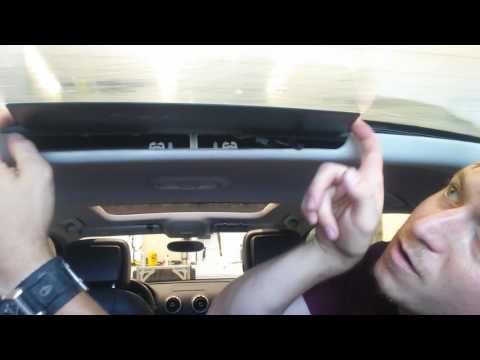
Audi A3
(2012-2019 /
8V, MK 3)
In this video, learn how to remove the third brake light (centre) on an Audi A3. Remove the plastic cover with a screwdriver and unscrew any screws i…
Audi A3
(2003-2013 /
MK 2, 8P)
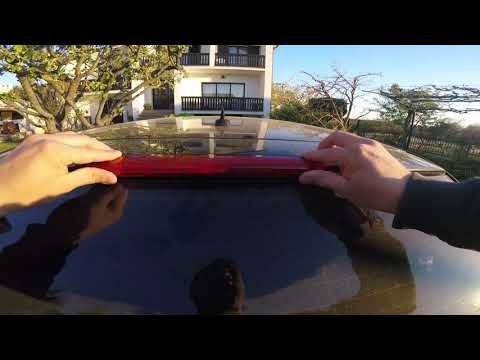
This short and simple guide will show us the main instructions on how to disassemble and replace the third brake light bulbs of the Audi A3. First, w…

Audi A3
(2012-2019 /
8V, MK 3)
Today we will explain how to replace the rear lights of the Audi A3 model 8v independently. To perform the replacement of the lights, we need to open…
Other guides you may be interested in
|
How to Remove the Door Panel from a Renault Clio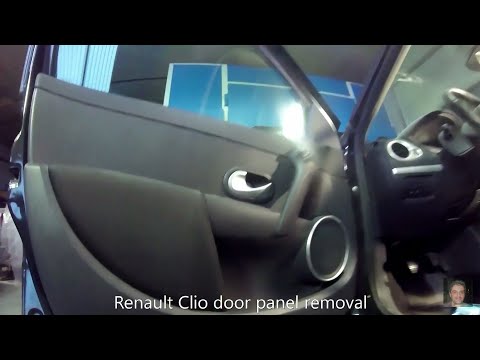
How to remove the panel from a Renault Clio? Don't worry, let's see together in this video how to proceed. Before starting the disassembly, disconnect the battery terminals located in the engine bay. Begin the disassembly: remove the plastic cover of the handle with a lever, then use a screwdriver to unscrew the internal door handle and the screws located there. Once removed, take out the window switch button, unscrew the internal door opening lever. Detach the door panel and disconnect the speaker. Be careful not to lose any of the clips behind the plastic panel you removed earlier. Replace the part and reassemble everything in reverse order. by ScegliAuto More videos
|
|
For advertising on this site Write to info@scegliauto.com
ScegliAuto is not responsible for any inaccuracy of the data in the lists. To report any inaccuracy or your business (if you own the business in question), please write to info@scegliauto.com
Number of seconds to generate the page: 0.134
(c) ScegliAuto 2026 - info@scegliauto.com - Privacy policy VAT number: IT01247470535 |
