
|
Do it yourself
| |||
| ||||


Resetting the Audi A4 B8 Service indicator light with VCDS
Model: Audi A4
B8
- Years 2007-2016
After changing the oil and the related filter of the Audi A4, we proceed to reset the message that appears on the dashboard to remind us. Let's put ourselves in the driver's seat and connect the terminal, on which we have installed the VCDS application, using the VAG cable, on the main screen. We tap on the SRI Reset option: the program will start acquiring data, after which we open the Operations dropdown menu and select the reset for the engine of our car, confirming the central button at the bottom. After a few seconds, a confirmation message will appear. We return to the Operations menu and select the last option and confirm, a message will confirm the reset.
Posted on 17 July 2024 by ScegliAuto
Video tutorial
Related tutorials
Audi A4
(2014-2024 /
B9)
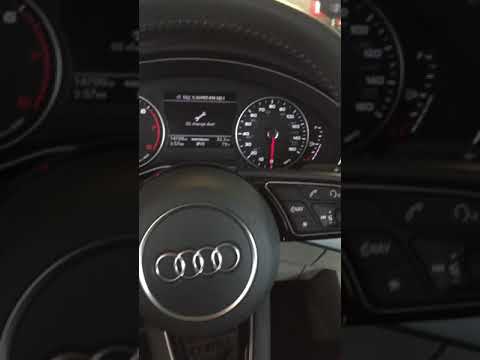
Let's see the process of resetting the service light for the regular maintenance of the Audi A4's engine oil change. First, we get into the car and s…

Audi A4
(2007-2016 /
B8)
In this guide, we will see the instructions that will allow us to reset the AdBlue warning light on the Audi A4. First, we get inside the vehicle and…
Audi A4
(2014-2024 /
B9)
Today we will discover how to reset the service light for the regular maintenance of the engine oil change in the Audi A4. First, we get into the car…
Other guides you may be interested in
|
How to Replace the Key Battery of a Ford B Max
Replacing the remote key battery of the Ford B Max is very simple, and the same procedure can be repeated for other models from the same manufacturer that share the same key design; start by removing the back casing of the key, which bears the manufacturer's emblem: on the upper edges of the key, there are two elements that must be pressed simultaneously to release the cover; at this point, use the tip of a screwdriver to pry off and extract the remote section that houses the buttons to access the battery compartment and replace it. by ScegliAuto More videos
|

|
For advertising on this site Write to info@scegliauto.com
ScegliAuto is not responsible for any inaccuracy of the data in the lists. To report any inaccuracy or your business (if you own the business in question), please write to info@scegliauto.com
Number of seconds to generate the page: 0.060
(c) ScegliAuto 2026 - info@scegliauto.com - Privacy policy VAT number: IT01247470535 |
