
|
Do it yourself
| |||
| ||||


How to adjust the brightness of the Audi A6 display
Model: Audi A6
MK 5, C8
- Years 2018-2026
Today we will see the step-by-step instructions that will allow us to adjust the brightness of the central display of the Audi A6. First of all, we get into the car and start the instrument panel; then we go to the settings on the central display and then to the brightness setting, as shown in the video. We then find the digital selector that will allow us to set the brightness of the display to our liking; it is possible to make other adjustments on the display in the same menu, finally exiting the setting to save the changes!
Posted on 4 August 2024 by ScegliAuto
Video tutorial
Related tutorials
Audi A6
(2018-2026 /
MK 5, C8)
Let's see in this video how to customize the upper display of our Audi: the vehicle must be in "park" and with the ignition on. We can modify the tac…

Audi A6
(1997-2004 /
C5, MK 2)
Setting the clock on an Audi A6 C5 model vehicle is a very simple and quick operation to perform, in fact, we simply need to turn on the instrument p…

Audi A6
(2018-2026 /
MK 5, C8)
After a power outage in the Audi A6, we may need to set the correct time on the onboard clock. To do this, sit in the driver's seat, turn on the inst…
Other guides you may be interested in |
How to Remove the Rear Bumper on the Ford Fiesta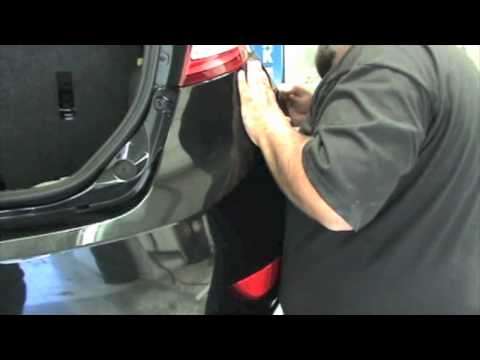
The preliminary operation is to detach the rear wheel arch from the bumper to access the screws underneath that secure the bumper (the wheel arch detaches by extracting the two plastic screws with a lever). Now unscrew all the screws around the perimeter of the bumper (you can see them by opening the rear hatch) and now you can detach the plastic from the bodywork by gently pulling it outwards: during this operation, be careful not to break the locking pins. Once you have extracted and replaced the bumper, you can reposition it and secure it by following the same operations done previously. by ScegliAuto More videos
|
|
For advertising on this site Write to info@scegliauto.com
ScegliAuto is not responsible for any inaccuracy of the data in the lists. To report any inaccuracy or your business (if you own the business in question), please write to info@scegliauto.com
Number of seconds to generate the page: 0.043
(c) ScegliAuto 2026 - info@scegliauto.com - Privacy policy VAT number: IT01247470535 |
