
|
Do it yourself
| |||
| ||||


|
Model: Benelli Trk 251
If on the display of the central panel of your Benelli TRK 251 you see an incorrect time and you are wondering how to manually change it, then all you have to do is read the following guide and apply what is described. First of all, turn on the panel and locate the "Set" button located on the right knob. At this point, press the button in question several times until you see the total kilometers traveled on the display. Immediately after, turn off and on the panel and hold down the "Set" button until the hour figure starts flashing. At this point, change the hours and then move on to the minutes and you are done.
Posted on 22 August 2025 by ScegliAuto
Video tutorial
Related tutorials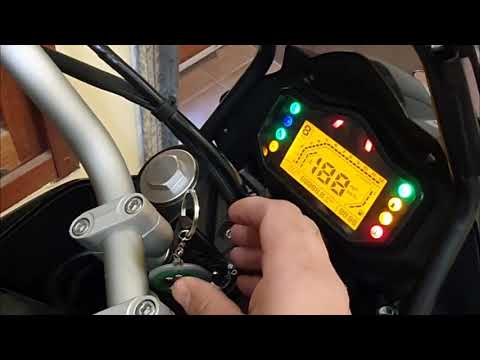
Trk 251
To set the clock on the Benelli TRK 502, turn the ignition key to switch on the instrument panel. Next, press the button located at the base of the r…

Trk 251
In order to reset the ECU of the Benelli TRK 251, you need to hold the throttle open while the instrument panel is off: continue to hold the throttle…

Trk 251
In this tutorial we can see how to replace the engine oil in the Benelli TRK 251, an extremely simple and quick operation. First of all, make sure th…
|
How to Replace the Battery of the Kymco Agility 125?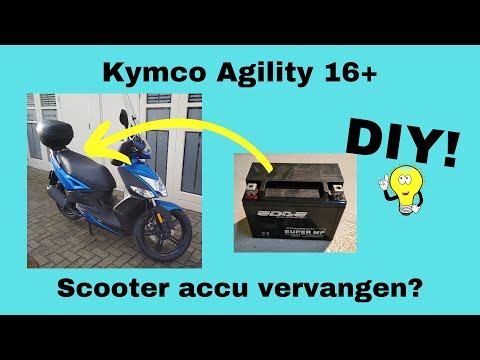
To replace the battery of the Kymco Agility 125, lift the seat to access the compartment underneath. At the rear of the under-seat compartment, you will find the battery under the corresponding panel. By unscrewing the screws that secure the panel, you can access the battery underneath, which must be freed from the corresponding securing screws and the appropriate power cables. Once the device is free, insert the new one, connecting and securing it properly, and cover everything with the panel. by ScegliAuto More videos
|
|
For advertising on this site Write to info@scegliauto.com
ScegliAuto is not responsible for any inaccuracy of the data in the lists. To report any inaccuracy or your business (if you own the business in question), please write to info@scegliauto.com
Number of seconds to generate the page: 0.005
(c) ScegliAuto 2026 - info@scegliauto.com - Privacy policy VAT number: IT01247470535 |
