
|
Do it yourself
| |||
| ||||


How to Replace the Clutch Lever on a Beta XTrainer
Model: Beta Xtrainer
Video tutorial
To replace the clutch lever on the Beta XTrainer, loosen the screw located at the top of the lever, which also acts as a pivot. Once this screw is removed, you can completely detach the lever from the handlebars, removing it from the mechanism that connects it to the clutch cable. When the old lever has been removed, insert the new one and secure it with the previously removed screw. After installation, check that both the lever and the clutch operate correctly.
Updated on 16 May 2026 by ScegliAuto
Related tutorials
Xtrainer
To replace the clutch lever on a Beta XTrainer, loosen the two screws that secure the lever mechanism to the handle. Next, unscrew the nut that conne…

Xtrainer
To replace the clutch on a Beta Xtrainer, loosen the screws securing the cover located on the right side of the bike, at the lower central part: once…
Xtrainer
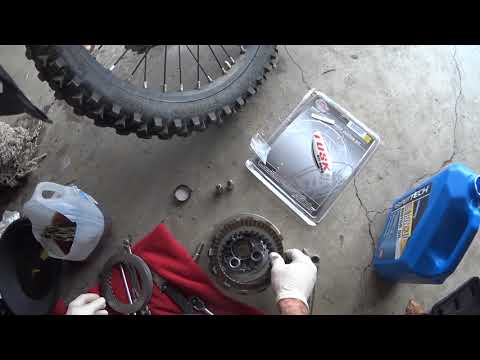
To replace the clutch on the Beta XTrainer, you need to loosen all the screws that secure the clutch protection cover. This is located on the right s…
|
How to Replace the Exhaust on the Suzuki GSX-R 600
To replace the exhaust on the Suzuki GSX-R 600, loosen the screws that secure the exhaust end can to its housing, located near the rear wheel on the right side of the bike. At this point, you can proceed by widening the connecting ring between the exhaust and the collector. Next, completely detach the old exhaust to position the new one: connect it to the collector by reinserting the ring and securing it to the bike's side supports. by ScegliAuto More videos
|
|
For advertising on this site Write to info@scegliauto.com
ScegliAuto is not responsible for any inaccuracy of the data in the lists. To report any inaccuracy or your business (if you own the business in question), please write to info@scegliauto.com
Number of seconds to generate the page: 0.007
(c) ScegliAuto 2026 - info@scegliauto.com - Privacy policy VAT number: IT01247470535 |
