
|
Do it yourself
| |||
| ||||


Model: Beta Xtrainer
To replace the clutch lever on a Beta XTrainer, loosen the two screws that secure the lever mechanism to the handle. Next, unscrew the nut that connects the clutch cable to the lever, allowing it to be completely removed. This will enable you to connect the new mechanism to the clutch cable by tightening the previously removed nut. Once the new lever is connected, secure the mechanism to the handle with the two screws and check that everything functions correctly.
Updated on 14 June 2026 by ScegliAuto
Video tutorial
Related tutorials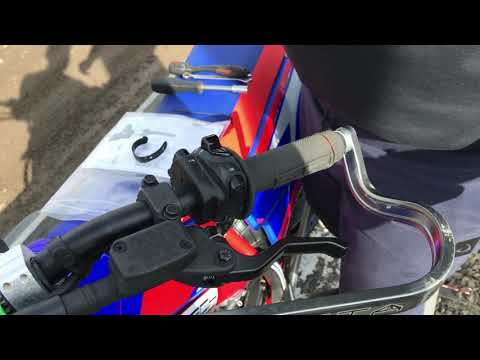
Xtrainer
To replace the clutch lever on the Beta XTrainer, loosen the screw located at the top of the lever, which also acts as a pivot. Once this screw is re…

Xtrainer
In order to install the clutch cylinder cover on the Beta Xtrainer, you need to loosen the screws that secure the cover located on the left side of t…

Xtrainer
To replace the clutch on a Beta XTrainer, it is advisable to lay the bike on its side, as shown in the video. Next, using a pneumatic gun or a socket…
|
How to Change the Gear Oil on the Honda Forza
To change the gear oil on the Honda Forza, loosen the drain bolt located at the rear of the transmission casing. Once this bolt is loosened, you can collect all the used oil in a container. After the oil has completely drained, you can top it up by inserting oil through the same vent: to do this, you will need a tube and a plunger. This way, you can insert the required amount of oil, ensuring everything functions correctly. by ScegliAuto More videos
|
|
For advertising on this site Write to info@scegliauto.com
ScegliAuto is not responsible for any inaccuracy of the data in the lists. To report any inaccuracy or your business (if you own the business in question), please write to info@scegliauto.com
Number of seconds to generate the page: 0.380
(c) ScegliAuto 2026 - info@scegliauto.com - Privacy policy VAT number: IT01247470535 |
