
|
Do it yourself
| |||
| ||||


How to reset the service on a BMW S1000R?
Model: Bmw S1000r
Video tutorial
In this tutorial, you will learn how to reset the service on a BMW S1000R, a very simple and quick operation. To do this, you will need the Bluetooth scanner shown in the video, which can be easily found online. Start by connecting the scanner to the OBD port accessible from the passenger seat, then interface it with the application installed on your smartphone. Next, select the correct model from the list, enter the "Instrument Cluster" section, then "Service reset" and complete the operation by selecting the appropriate option. Finally, restart the ignition and check that the procedure was successful.
Updated on 8 September 2026 by ScegliAuto
Related tutorials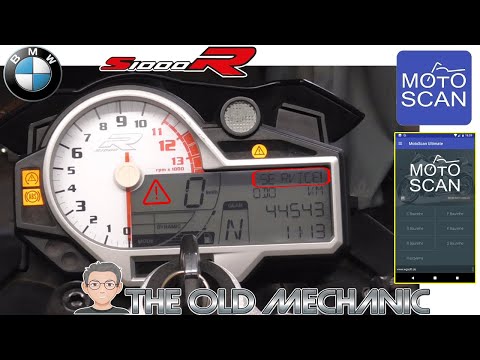
S1000r
.. In this tutorial, you will see how to reset the service on a BMW S1000R, a very simple and quick operation. Before doing this, you must.. …

S1000r
The instructions in this guide will show us how to disassemble and replace the clutch lever of the BMW S1000R, in simple steps. First, we put the mot…

S1000r
This guide provides the main instructions on how to remove and replace the spark plugs on the BMW S1000R engine. First, place the bike on a stand and…
|
How to Replace the Air Filter on the Kawasaki Ninja 1000 SX?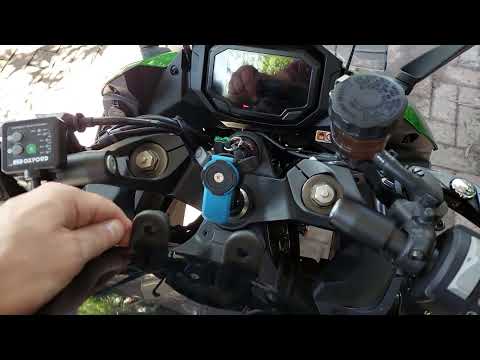
In this tutorial, you will see how to replace the air filter on the Kawasaki Ninja 1000 SX, a very simple and quick operation. First, remove the seat, then take off both side panels by unscrewing the respective screws and unscrew the two bolts located at the front of the fuel tank. Next, lift the tank, support it with a rope if necessary, and remove the top cover of the airbox. At this point, extract the old filter, clean the inside of the housing from any dirt residue, and fit the new part by reversing the procedure. by ScegliAuto More videos
|
|
For advertising on this site Write to info@scegliauto.com
ScegliAuto is not responsible for any inaccuracy of the data in the lists. To report any inaccuracy or your business (if you own the business in question), please write to info@scegliauto.com
Number of seconds to generate the page: 0.110
(c) ScegliAuto 2026 - info@scegliauto.com - Privacy policy VAT number: IT01247470535 |
