
|
Do it yourself
| |||
| ||||


Resetting the tire pressure monitor on a BMW 5 Series.
Model: BMW Serie 5
G30
- Years 2017-2024
In this very short video tutorial today you will be able to see the entire procedure necessary to reset the tire pressure warning light of a BMW 5 Series, model G30 produced from the year 2017 onwards. Before performing this operation, it is necessary to check the correct pressure of all tires as indicated by the manufacturer, but let's see the procedure now. First, we need to turn on the car's dashboard and then move to the multimedia display, here we open the menu and select "vehicle" and then "vehicle status", then we continue with "tire settings" and finally click on "reset" and confirm.
Posted on 22 August 2024 by ScegliAuto
Video tutorial
Related tutorials
BMW Serie 5
(2010-2017 /
F11, F10)
Today we will discover the instructions that will allow us to reset the tire pressure warning light of the BMW 5 Series; before performing the reset,…

BMW Serie 5
(2003-2010 /
E60, E61)
These short and simple steps will show us how to reset the tire pressure warning light (TPMS) of the BMW 5 Series; before performing the reset, it is…

BMW Serie 5
(2003-2010 /
E60, E61)
These simple and brief instructions will show us the process of resetting the tire pressure monitoring system (TPMS) light on the BMW 5 Series; befor…
Other guides you may be interested in
|
How to Replace the Gear Knob on a Mini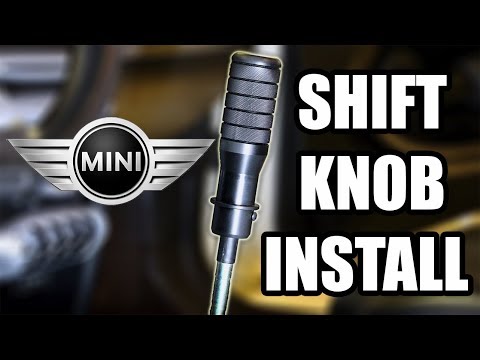
Want to replace the gear knob on a Mini? Follow these steps for the replacement: first, take the knob in your hands and rotate it left and right until you remove it from the gear stick. Use a plastic lever to disconnect the leather gaiter frame (if it needs replacing). For reassembly: fit the new leather gaiter with the clips (if removed), then take the new knob and push it onto the stick in the centre console until it is secured. Finally, test the movement of the stick in the centre console to ensure the knob is correctly fitted. by ScegliAuto More videos
|

|
For advertising on this site Write to info@scegliauto.com
ScegliAuto is not responsible for any inaccuracy of the data in the lists. To report any inaccuracy or your business (if you own the business in question), please write to info@scegliauto.com
Number of seconds to generate the page: 0.052
(c) ScegliAuto 2026 - info@scegliauto.com - Privacy policy VAT number: IT01247470535 |
