
|
Do it yourself
| |||
| ||||


How to replace the battery of the BMW X1 key remote control
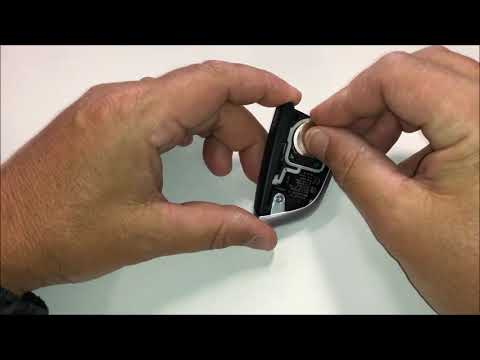
Today we will see the information related to replacing the battery of the key remote of the BMW X1, but also on the models X2, X3, X4, X5 and X6. First of all, let's take our remote control and start removing the physical key from it by pressing the appropriate button; now remove the plastic back cover, thus accessing the battery compartment, as shown in the video. At this point, remove the battery and replace it with the new one, of the correct type (in this case a CR 2032 3V); insert it correctly and reassemble the cover, finally inserting the physical key on the remote control!
Posted on 7 January 2025 by ScegliAuto
This video is currently unavailable
Related tutorials
BMW X1
(2022-2026 /
U11)
To change the battery in the key fob of a BMW X1, take the key and press the side button to extract the emergency mechanical key. Using the tip of th…

BMW X1
(2022-2026 /
U11)
In this video tutorial we can observe the steps to be taken in order to replace the battery of the key remote of a BMW X1 car. Take the remote in que…
BMW X1
(2015-2022 /
F48)
The battery replacement of the BMW X1 remote control is carried out by removing the key, together with the special cover placed in the upper part of …
Other guides you may be interested in
|
Frequently Asked QuestionsHow to Replace the Antenna on a Volkswagen Bora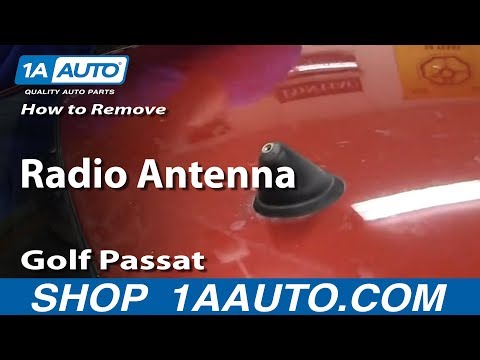
Want to replace the damaged radio antenna on your car but don't know how to proceed? In this video, we will show you the very simple steps to take. After purchasing the new antenna (with the same size and thread as the original), unscrew the old one by hand until it is completely detached from its base. Take the new antenna and screw it (until fully tightened) into the plastic base on the roof of your car. Finally, check the correct functioning of the antenna by turning on the radio and receiving channels. by ScegliAuto More videos
|
|
For advertising on this site Write to info@scegliauto.com
ScegliAuto is not responsible for any inaccuracy of the data in the lists. To report any inaccuracy or your business (if you own the business in question), please write to info@scegliauto.com
Number of seconds to generate the page: 0.126
(c) ScegliAuto 2026 - info@scegliauto.com - Privacy policy VAT number: IT01247470535 |
