
|
Do it yourself
| |||
| ||||


How to replace the front hood logo on a BMW Z3
Model: BMW Z3
MK 1
- Years:
1995, 1996, 1997, 1998, 1999, 2000, 2001, 2002
Video tutorial
Let's see how to replace the front emblem on the hood of a BMW Z3, which had deteriorated over time. We can find the suitable emblem for this car for example on Amazon with the code B0010UTLVS at the price of 77.12 euros, free delivery for Prime customers. To remove the old damaged emblem, we will need a thin string - or dental floss - and pass it under the emblem until it is completely removed: this way we will not ruin the paint. If one of the supports remains inside the bodywork, try to remove it with a pair of pliers, being careful with the paint. Clean the surface well and apply the new emblem, which should snap into place, and that's it.
Posted on 8 April 2025 by ScegliAuto
Related tutorials
BMW Z3
(1995-2002 /
MK 1)
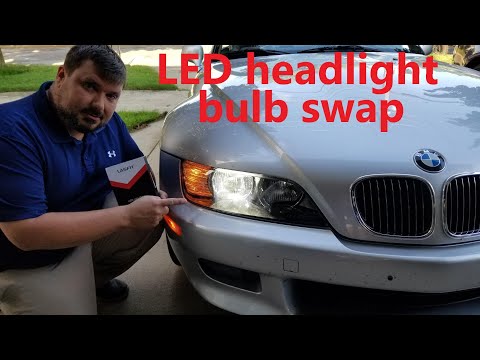
To replace the headlamp bulb on a BMW Z3, open the bonnet to access the components inside the engine bay, particularly the inner part of the correspo…
BMW Z3
(1995-2002 /
MK 1)
Let’s look at removing the headlight bulbs on a BMW Z3. First, lift the front bonnet of the car and locate the rear of the front headlights. Remove t…

BMW Z3
(1995-2002 /
MK 1)
Today, you will learn how to reset the service light for a 2001 BMW Z3 without going to a garage and in the shortest time possible. To reset the serv…
Other guides you may be interested in
|
How to Open the Hood of the BMW X3
Today, you will learn how to open and close the hood of the BMW X3. To perform this simple operation, lift the hood release lever located next to the door seal on the driver’s side. After pulling the lever, you will notice that the hood will lift slightly. Position yourself in front of the hood and lift it after moving the internal lever from left to right. To keep the hood secure during maintenance, use the side support rod. To close the hood, simply let it fall back into place. by ScegliAuto More videos
|
|
For advertising on this site Write to info@scegliauto.com
ScegliAuto is not responsible for any inaccuracy of the data in the lists. To report any inaccuracy or your business (if you own the business in question), please write to info@scegliauto.com
Number of seconds to generate the page: 0.112
(c) ScegliAuto 2026 - info@scegliauto.com - Privacy policy VAT number: IT01247470535 |
