
|
Do it yourself
| |||
| ||||



Video tutorial
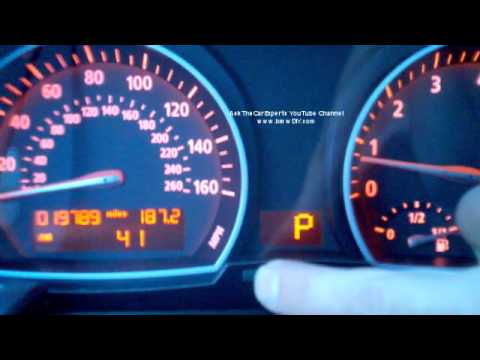
Detailed instructions - In this video tutorial, you can see how to set the time on the radio in the BMW X3 by following a few simple steps: First, get in your vehicle and ensure it is secure with the parking brake engaged. Press the BC button located on the control lever on the left side of the steering wheel to set the hours and minutes on the dashboard display; then, at the center of the dashboard where the display is, you will see two buttons; hold the right button until the hours start to blink; when the hours are blinking, simply press the left button to adjust the hour. Repeat the same step for the minutes.
Updated on 30 April 2026 by ScegliAuto
Related tutorials
BMW X3
(2017-2024 /
MK 3, G01)
In this very short tutorial today, we can see how to set a new time on a BMW X3, a model produced from 2017 to 2024. Let's start by turning on the ca…

BMW X3
(2003-2010 /
MK 1, E83)
In this video tutorial, the steps to set the desired time in a BMW X3 vehicle are shown. Get into the car and insert the key into the slot, turn it c…
BMW X3
(2003-2010 /
MK 1, E83)
In this tutorial, you will see how to set the time in a BMW X3, a very simple and quick operation to perform if you have replaced the battery or afte…
Other guides you may be interested in
|
How to Adjust or Remove the Headrest of the VOLVO XC60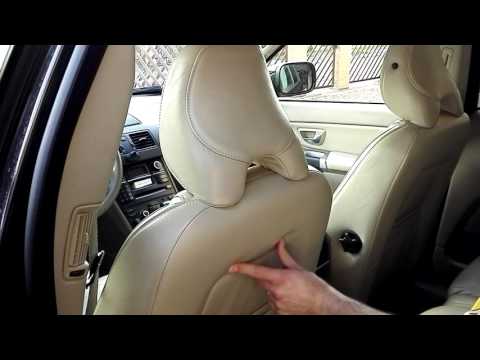
To adjust or adapt the headrest of the Volvo XC60, first know that there is a small control under the fabric of the front seat, at the back, facing the rear seats. By pressing this control, you can loosen the headrest attachment with your left hand and use your right hand to raise, lower, or tilt it according to the driver's preferences. In the same way, it is possible to remove it, but at that point, you will need to unscrew the screws of the under-seat control and proceed with its extraction; however, it is better to remove the headrest only if you need to install a child seat. by ScegliAuto More videos
|
|
For advertising on this site Write to info@scegliauto.com
ScegliAuto is not responsible for any inaccuracy of the data in the lists. To report any inaccuracy or your business (if you own the business in question), please write to info@scegliauto.com
Number of seconds to generate the page: 0.092
(c) ScegliAuto 2026 - info@scegliauto.com - Privacy policy VAT number: IT01247470535 |
