
|
Do it yourself
| |||
| ||||


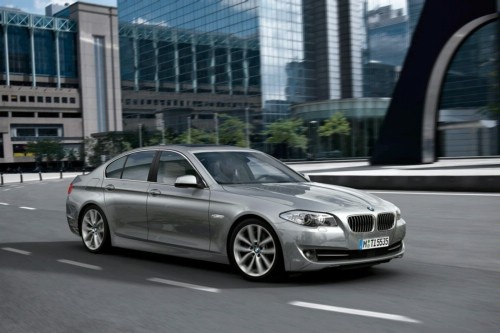
How to Replace the Key Battery in a BMW 5 Series
Model: BMW Serie 5
F11, F10
- Years:
2010, 2011, 2012, 2013, 2014, 2015, 2016, 2017
Video tutorial
Start by pressing the button on the back of the key to unlock the emergency key, then remove it. Once this step is complete, insert the tip of a small flathead screwdriver into the slot on the top of the key and pry it open. This will remove the cover of the dead battery, which you will take out of its housing. Next, to install the new battery and close the key, simply follow these instructions in reverse. This way, you will successfully complete the replacement.
Updated on 3 May 2026 by ScegliAuto
Related tutorials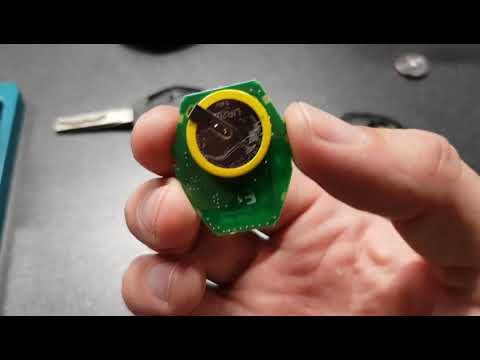
BMW Serie 5
(2003-2010 /
E60, E61)
Let's go through the main steps to disassemble and replace the battery in the remote key for a BMW 5 Series. First, take your key and use something t…
BMW Serie 5
(2010-2017 /
F11, F10)
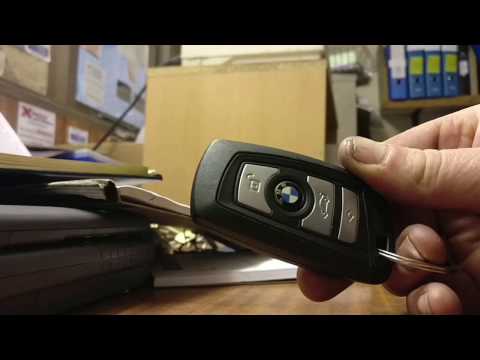
As you can see in this tutorial, replacing the key fob battery for the BMW 5 Series is a very simple and quick task. To do this, you will need a smal…

BMW Serie 5
(2003-2010 /
E60, E61)
If you need to replace the battery in your BMW 5 Series E60 key, carefully read the procedure described below and follow all the steps. First, get a …
Other guides you may be interested in
|
Fuses Placement and Diagram for the Mercedes Vito
Check the diagram and placement of the fuse boxes for the Mercedes Vito by following the instructions below. First, open the bonnet and locate the external fuse box; you will find it by removing the plastic cover situated at the top of the engine compartment, as shown in the video. At this point, find another fuse box in the cabin, specifically under the driver's seat; use the owner's manual to find the fuse diagram and replace any faulty fuse with a new one that has the same amperage rating. by ScegliAuto More videos
|
|
For advertising on this site Write to info@scegliauto.com
ScegliAuto is not responsible for any inaccuracy of the data in the lists. To report any inaccuracy or your business (if you own the business in question), please write to info@scegliauto.com
Number of seconds to generate the page: 0.122
(c) ScegliAuto 2026 - info@scegliauto.com - Privacy policy VAT number: IT01247470535 |
