
|
Do it yourself
| |||
| ||||


How to Update the Navigation Software on a BMW 1 Series
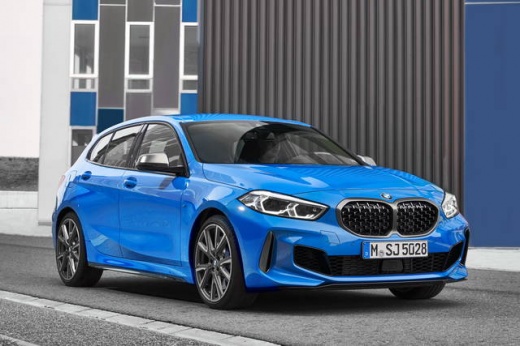
Model: BMW Serie 1
MK 3, F40
- Years 2019-2026
To update the navigation software on a BMW 1 Series, format a USB stick of 32 GB or 64 GB, depending on the size of the required update (the size will be indicated at the time of download). Once the update has been installed on the USB stick following the procedure outlined in the tutorial, disconnect it from the computer and connect it to the car's USB port. This way, the radio display will indicate the installation process of the update, and once completed, you can remove the USB stick again.
Updated on 29 June 2026 by ScegliAuto
Video tutorial
Related tutorials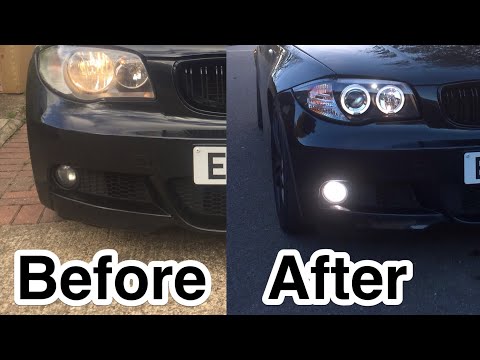
BMW Serie 1
(2004-2013 /
E81, E82, MK 1, E87)
In today's video, see how to remove the original headlights from the BMW Series E87 and related models. First, open the bonnet and remove the central…
BMW Serie 1
(2004-2013 /
E81, E82, MK 1, E87)
Before you start, sit in the driver's seat of your BMW 1 Series. Begin by pulling the bonnet release lever located at the bottom right of the driver'…

BMW Serie 1
(2011-2019 /
MK 2, F20, F21)
In this video, you will learn how to reset the engine light on the BMW 120D Series 1. This operation must be done with the instrument panel powered o…
Other guides you may be interested in |
How to Bleed the Clutch on a Renault Clio?
To bleed the clutch on a Renault Clio, open the bonnet to access the components located in the engine bay: here, you will need to undo the screws that secure the battery in its housing, the intake manifold, and the coolant reservoir. This will allow you to locate the pipe through which the brake fluid flows: by inserting the other end of the pipe into a container, you can press the clutch pedal to expel all the fluid until it fills the container. by ScegliAuto More videos
|
|
For advertising on this site Write to info@scegliauto.com
ScegliAuto is not responsible for any inaccuracy of the data in the lists. To report any inaccuracy or your business (if you own the business in question), please write to info@scegliauto.com
Number of seconds to generate the page: 0.709
(c) ScegliAuto 2026 - info@scegliauto.com - Privacy policy VAT number: IT01247470535 |
