
|
Do it yourself
| |||
| ||||


How to Restart the IDrive Navigation System on a BMW
Model: BMW BMW Various
Video tutorial
In this video, learn how to restart the IDrive navigation system on your BMW: perhaps your navigator is frozen, or the LCD screen has gone dark. In any case, to restart the system, follow this method: press the DVD eject button, the CD button, and the volume knob simultaneously. If there are discs in these units, they may eject momentarily, but this is normal. Allow a few seconds for the system to restart, and the discs will return automatically. The LCD screen will light up displaying the BMW logo; this indicates that the system is rebooting.
Updated on 21 July 2026 by ScegliAuto
Related tutorials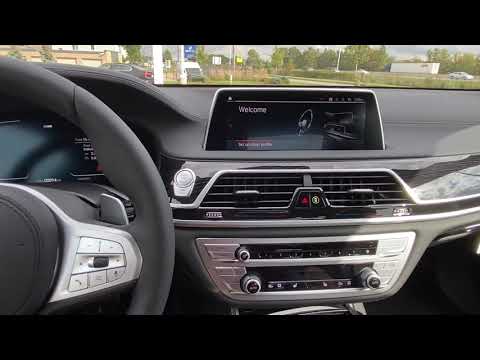
BMW BMW Various
In this video, see how to restart the BMW Idrive operating system: with the vehicle on (but the engine off), press and hold the volume button for 30 …

BMW BMW Various
In this tutorial, you will see how to reset the IDrive 4 multimedia system in a BMW, a very simple and quick operation, for example, as a troubleshoo…

BMW BMW Various
It will be possible to adjust the iDrive system of BMW by first inserting the ignition key and turning on the instrument panel by pressing the approp…
Other guides you may be interested in |
How to Activate the Automatic Folding and Unfolding of the Wing Mirrors on the Jeep Compass
Follow these brief instructions to activate the automatic folding and unfolding of the external wing mirrors on the Jeep Compass. First, get inside the vehicle and turn on the ignition; then press the button located beneath the mirror glass adjustment to electrically open the mirror, as shown in the video. Pressing the button in the opposite direction will close the mirrors; by holding the button, the mirrors will open and close automatically! by ScegliAuto More videos
|
|
For advertising on this site Write to info@scegliauto.com
ScegliAuto is not responsible for any inaccuracy of the data in the lists. To report any inaccuracy or your business (if you own the business in question), please write to info@scegliauto.com
Number of seconds to generate the page: 0.009
(c) ScegliAuto 2026 - info@scegliauto.com - Privacy policy VAT number: IT01247470535 |
