
|
Do it yourself
| |||
| ||||


How to Reprogram the Key of the BMW E46
Model: BMW Serie 3
E46
- Years:
1998, 1999, 2000, 2001, 2002, 2003, 2004, 2005, 2006
Video tutorial
This video shows the procedure to reprogram the key for your BMW 3 Series E46. The procedure takes less than 1 minute to complete. To reprogram the key, insert it and turn it to the first position, then remove it. While holding the unlock button, take out the key and press the BMW logo in the center of the key 3 times, then release the button. At this point, the car will lock and unlock to synchronize the key. After a few seconds, the key will be synchronized, and the central locking will work again with the key. This procedure is useful after replacing the key battery or if there are issues with the central locking of your E46.
Updated on 18 August 2026 by ScegliAuto
Related tutorials
BMW Serie 3
(1998-2006 /
E46)
In this video, see how to easily reprogram the key of a BMW 3 Series in its E46 version: remember that programming refers only to the use of the cent…

BMW Serie 3
(1998-2006 /
E46)
In this video, we will see how to program the key of a BMW 3 Series E46 version: first of all, the car must be locked with the central locking button…
BMW Serie 3
(1998-2006 /
E46)
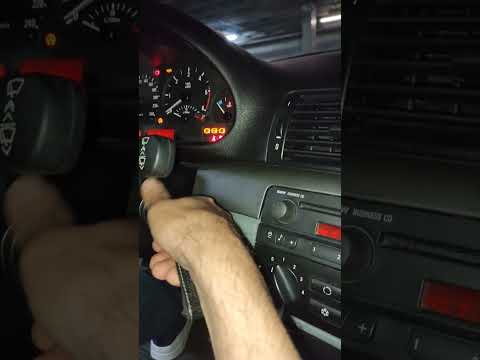
This video tutorial shows you how to reprogram the key for your BMW 3 Series E46. The procedure is simple. First, open the car, get in, and by pressi…
Other guides you may be interested in
|
How to Activate the Automatic Folding and Unfolding of the Wing Mirrors on the Jeep Compass
Follow these brief instructions to activate the automatic folding and unfolding of the external wing mirrors on the Jeep Compass. First, get inside the vehicle and turn on the ignition; then press the button located beneath the mirror glass adjustment to electrically open the mirror, as shown in the video. Pressing the button in the opposite direction will close the mirrors; by holding the button, the mirrors will open and close automatically! by ScegliAuto More videos
|
|
For advertising on this site Write to info@scegliauto.com
ScegliAuto is not responsible for any inaccuracy of the data in the lists. To report any inaccuracy or your business (if you own the business in question), please write to info@scegliauto.com
Number of seconds to generate the page: 0.127
(c) ScegliAuto 2026 - info@scegliauto.com - Privacy policy VAT number: IT01247470535 |
