
|
Do it yourself
| |||
| ||||



How to Reset the Service Light in the BMW X5?
Model: BMW X5
E70
- Years:
2007, 2008, 2009, 2010, 2011, 2012, 2013
Video tutorial
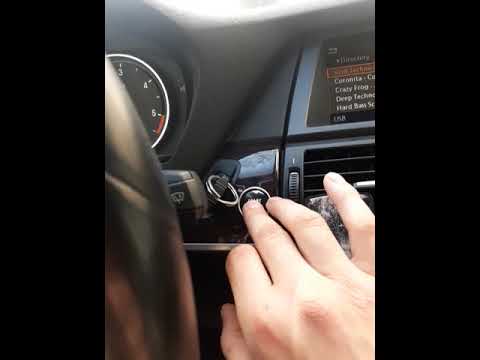
Resetting the service light in the BMW X5, as shown in this tutorial, is a very simple and quick operation. Before proceeding, ensure that all required scheduled maintenance tasks have been completed. Start by entering the vehicle, then insert the key and turn on the ignition. Next, press and hold the button located to the left of the dashboard, access the maintenance menu, and scroll through the available services. Once you reach the one to reset, press and hold the button again, confirm the reset, and restart the vehicle.
Updated on 12 September 2026 by ScegliAuto
Related tutorials
BMW X5
(1999-2006 /
E53)
Today we will see how to reset the service light, related to the car service, of the 2003 BMW X5 independently. To reset the service light, it is nec…

BMW X5
(2013-2018 /
F15)
Let's discover the instructions on how to reset the service light for the regular maintenance of the BMW X5. First, we get inside the vehicle and sta…
BMW X5
(2013-2018 /
F15)
Resetting the service light on the BMW X5 is a straightforward task that you can do on your own, thanks to our video guide. The reset should be perfo…
Other guides you may be interested in
|
How to lower the rear seats in the Peugeot 206?
In this tutorial, you will see how to lower the rear seats in the Peugeot 206, a very simple and quick operation, for example, if you need more space in the boot. First, open both the doors and the tailgate, then unclip the seat base and position it vertically. Next, remove the horizontal partition, locate the release levers at the ends of both seatbacks, and, by operating them, lower the seatbacks. To reassemble everything, simply follow the reverse procedure. by ScegliAuto More videos
|
|
For advertising on this site Write to info@scegliauto.com
ScegliAuto is not responsible for any inaccuracy of the data in the lists. To report any inaccuracy or your business (if you own the business in question), please write to info@scegliauto.com
Number of seconds to generate the page: 0.075
(c) ScegliAuto 2026 - info@scegliauto.com - Privacy policy VAT number: IT01247470535 |
