
|
Do it yourself
| |||
| ||||


How to Remove the Rear Bumper on a Buick Encore?
Model: Buick Encore
MK 1
- Years 2013-2022
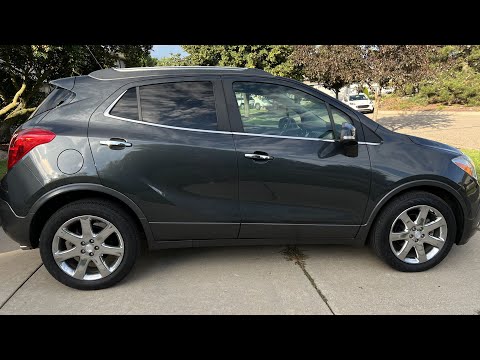
As seen in this tutorial, removing the rear bumper on a Buick Encore is an extremely simple and quick task. First, open the trunk. Then, remove the two indicated screws using a T15 Torx wrench. Next, remove the six screws located inside the wheel wells, three on each side, and proceed to unclip the plastic covers of the wheel wells. At this point, just unscrew the last mounting bolts with a 7mm socket wrench, grab the bumper, and separate it from the frame. To install the replacement, simply follow the reverse procedure.
Updated on 24 August 2026 by ScegliAuto
Video tutorial
Related tutorials
Buick Encore
(2013-2022 /
MK 1)
Finding the OBD2 port on your first-generation Buick Encore is very simple, and you can do it without any issues by following the brief procedure des…

Buick Encore
(2013-2022 /
MK 1)
In this new guide dedicated to all of you who own a Buick Encore first edition, we will describe the various steps you need to follow if you want to …
Buick Encore
(2013-2022 /
MK 1)
To replace the outside temperature sensor on a Buick Encore, loosen the screws that secure the grille at the bottom of the front bumper. Once these s…
Other guides you may be interested in
|
How to Adjust the Brightness of the Instrument Cluster on a Peugeot 3008?
To adjust the brightness of the instrument cluster on a Peugeot 3008, you need to turn on the ignition and access the settings via the menu located in the central area of the dashboard. In the screen that appears, select the "Display Configuration" option: now, by selecting the "Brightness" option, you can adjust it using the dedicated slider that will appear on the screen. The adjustment should be made with the headlights on as well as with them off. Once the adjustment is complete, you can turn off the instrument cluster. by ScegliAuto More videos
|
|
For advertising on this site Write to info@scegliauto.com
ScegliAuto is not responsible for any inaccuracy of the data in the lists. To report any inaccuracy or your business (if you own the business in question), please write to info@scegliauto.com
Number of seconds to generate the page: 0.414
(c) ScegliAuto 2026 - info@scegliauto.com - Privacy policy VAT number: IT01247470535 |
