
|
Do it yourself
| |||
| ||||


Chevrolet Aveo - Headlight bulbHeadlight Bulb Chevrolet Aveo (2002-2011 / mk 1, t 200)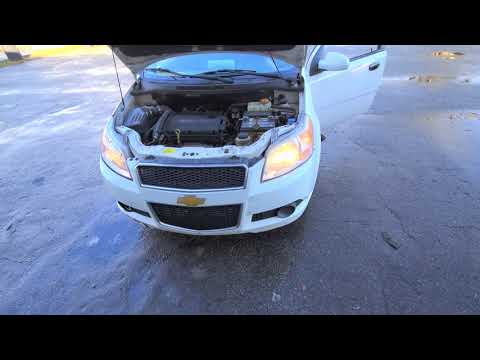 Chevrolet Aveo (2002-2011 / MK 1, T200)
How to Replace the Front Headlight Bulbs on the Chevrolet Aveo? In this tutorial, you will see how to replace the front headlight bulbs on the Chevrolet Aveo, an extremely simple and quick operation. First, ensure that the …Read all… Posted on 11 August 2026 by ScegliAuto 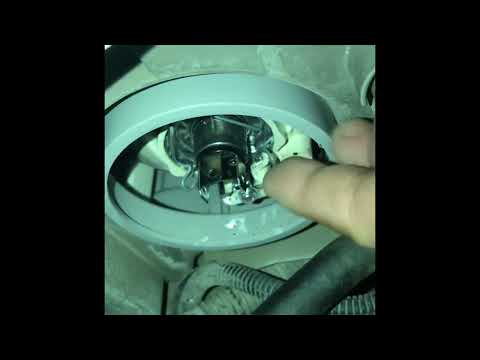 Chevrolet Aveo (2002-2011 / MK 1, T200)
How to Replace the Front Headlight Bulb on the Chevrolet Aveo 2009 In this new mini-guide dedicated to your Chevrolet Aveo first series (2009), we will discover how to quickly and safely replace the front headlight bulb. …Read all… Posted on 28 September 2026 by ScegliAuto Cigarette lighter (1) Airbag (1) Shocks (3) Car stereo (13) Ignition coil (1) Spark plugs (4) Body (1) Key (1) Timing belt (2) Checks and maintenance (2) Dashboard (2) Bearing (3) Brake rotors (1) Headlight (4) Tail light (2) Fog lights (2) Air filter (2) Cabin air filter (5) Fuel filter (2) Clutch (1) Headlight bulb (2) Tail light bulb (1) Interior dome light bulb (1) Antifreeze coolant (1) Handle (2) Starter motor (3) Clock (3) Door trim panel (3) Rear bumper (1) Brake pads (1) Fuel pump (1) Instrument cluster (1) Radiator (2) Fuse box (33) Door lock (1) Suspension system (1) Side mirror (2) Warning light – error code (2) (1) Service warning light (8) Windshield wipers (1) Blower motor (2) |
How to set the clock on the Vespa 125 Primavera?
To set the clock on the Vespa 125 Primavera, press and hold the black button located just below the black knob on the bike: keep the button pressed until the hour number starts to flash. Once it is flashing, you can change the hours with single presses of the same button; then, by pressing and holding the button again, the hour number will stop flashing and the minute number will start to flash, which can be modified in the same way, confirming the input by holding the button. by ScegliAuto More videos
|
|
For advertising on this site Write to info@scegliauto.com
ScegliAuto is not responsible for any inaccuracy of the data in the lists. To report any inaccuracy or your business (if you own the business in question), please write to info@scegliauto.com
Number of seconds to generate the page: 0.021
(c) ScegliAuto 2026 - info@scegliauto.com - Privacy policy VAT number: IT01247470535 |
