
|
Do it yourself
| |||
| ||||


2007-2016 Chevrolet Camaro (MK 5)
Tutorial - For model years: 2007, 2008, 2009, 2010, 2011, 2012, 2013, 2014, 2015, 2016
Mechanics (3)Electrical System and Lighting (3)Air Conditioning and Cooling (2)Bodywork and Windows (1)Interior and Accessories (2)Vehicle Controls and Functions (1) Chevrolet Camaro (2007-2016 / MK 5) How to reset the oil light on a Chevrolet Camaro MK5 Let's see how to reset the service light on a 2012 Chevrolet Camaro (MK5): insert the key and turn it to the "accessory" position, then go to the vehicle …Read all… Posted on 1 November 2026 by ScegliAuto  Chevrolet Camaro (2007-2016 / MK 5) How to Replace the Rear Brake Light Bulb on a Chevrolet Camaro MK5 Here’s how to replace the rear light bulb (brake/indicator) on a Chevrolet Camaro MK5 (2010/2015). To access the light assembly, open the boot and locate the …Read all… Posted on 25 February 2026 by ScegliAuto  Chevrolet Camaro (2007-2016 / MK 5) How to Program a Remote for the Chevrolet Camaro In this tutorial, you will see how to program a remote for the Chevrolet Camaro, a very simple and quick operation. For this, you will obviously need a working …Read all… Posted on 20 February 2026 by ScegliAuto  Chevrolet Camaro (2007-2016 / MK 5) How to Replace the Key Battery in the Chevrolet Camaro When the key for your Chevrolet Camaro (2010-2015) stops working, you don't necessarily have to rush out to buy a new one. In most cases, simply replacing the …Read all… Posted on 10 October 2026 by ScegliAuto  Chevrolet Camaro (2007-2016 / MK 5) Where to Find the Main Fuse Box of the 2013 Chevrolet Camaro If you are looking for the main fuse box in your 2013 Chevrolet Camaro, follow these instructions to locate it quickly and safely. First, completely switch off …Read all… Posted on 1 November 2026 by ScegliAuto  Chevrolet Camaro (2007-2016 / MK 5) How to Replace the Fog Light on a Chevrolet Camaro If you want to replace the fog light on this car model, the following description includes all the information and useful steps to correctly carry out the …Read all… Posted on 25 October 2026 by ScegliAuto  Chevrolet Camaro (2007-2016 / MK 5) How to Replace the Pollen Filter in a Chevrolet Camaro. In this video tutorial, you can see how to replace the pollen filter in a Chevrolet Camaro by following a few simple steps: first, purchase a new, quality …Read all… Posted on 29 August 2026 by ScegliAuto  Chevrolet Camaro (2007-2016 / MK 5) How to Remove a Wheel from a Chevrolet Camaro Before you start, ensure that your Camaro is in first gear and the handbrake is engaged. Begin by lifting the car using the appropriate jack provided with the …Read all… Posted on 21 June 2026 by ScegliAuto  Chevrolet Camaro (2007-2016 / MK 5) Engine Oil and Filter Replacement Position the vehicle on a lift to facilitate access to the oil sump. Proceed by unscrewing the drain plug located on the side of the sump to drain the used …Read all… Posted on 16 February 2026 by ScegliAuto  Chevrolet Camaro (2007-2016 / MK 5) Replacement of Wiper Blades Replacing wiper blades is extremely simple and can easily be done as a DIY task. Once you lift the wiper arm, rotate the blade 90°, unclip the fastening tab, …Read all… Posted on 16 February 2026 by ScegliAuto 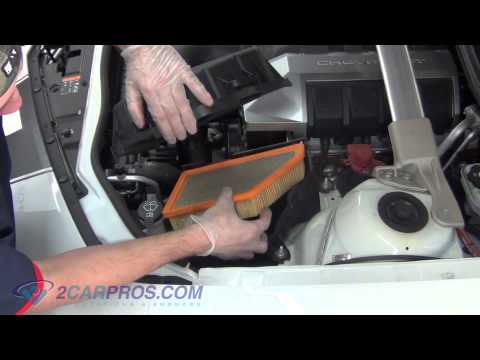 Chevrolet Camaro (2007-2016 / MK 5) Engine Air Filter Replacement The engine air filter housing (AIR BOX) is located at the front right of the engine bay (when facing forward), specifically on the driver's side, just behind …Read all… Posted on 16 February 2026 by ScegliAuto  Chevrolet Camaro (2007-2016 / MK 5) Changing the Cabin Air Filter Replacing the cabin air filter (like the regular one) is very important, as we've seen in previous articles. The procedure is generally simple, although it can …Read all… Posted on 13 February 2026 by ScegliAuto |
How to Reset the Tyre Pressure Light on the Hyundai i20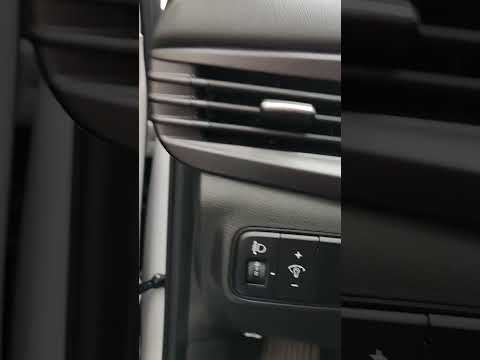
These brief instructions will show you how to reset the tyre pressure monitoring system (TPMS) light on the Hyundai i20. Before performing the reset, ensure that all four tyres are at the correct operating pressure. Then, get inside the cabin and turn on the ignition. Now, press and hold the TPMS reset button located on the left side of the driver's seat until the tyre pressure light resets on the instrument panel, as shown in the video. At this point, turn off the ignition and start the engine to complete the process! by ScegliAuto More videos
|
|
For advertising on this site Write to info@scegliauto.com
ScegliAuto is not responsible for any inaccuracy of the data in the lists. To report any inaccuracy or your business (if you own the business in question), please write to info@scegliauto.com
Number of seconds to generate the page: 0.008
(c) ScegliAuto 2026 - info@scegliauto.com - Privacy policy - About us VAT number: IT01247470535 |
