
|
Do it yourself
| |||
| ||||


How to Connect a Bluetooth Transmitter to a Car Without Factory Fitting
Model: Chevrolet Aveo
MK 1, T200
- Years:
2002, 2003, 2004, 2005, 2006, 2007, 2008, 2009, 2010, 2011
Video tutorial
This video shows how to install a Bluetooth transmitter in a car that does not have one fitted as standard. In this case, it is a Chevrolet Aveo, but the concept applies to any older car. First, find a free frequency on your car radio, then lower the volume and plug the Bluetooth device into the cigarette lighter socket. We recommend this device, which we found on yammo.it: it features a dual USB port, car adapter, wireless radio receiver, and supports a 64GB USB unit. It costs £11.99. Save the free frequency and ensure it activates on Bluetooth, so you don't have to search for it every time you restart the vehicle.
Updated on 3 November 2026 by ScegliAuto
Related tutorials
Chevrolet Aveo
(2002-2011 /
MK 1, T200)
Replacing the spark plugs is one of the easiest maintenance tasks. You don’t need much skill. If you’ve reached the mileage for replacement or notice…
Chevrolet Aveo
(2002-2011 /
MK 1, T200)
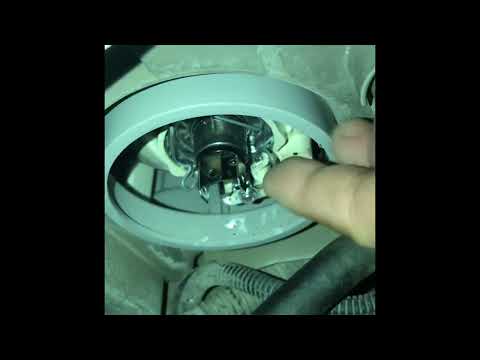
In this new mini-guide dedicated to your Chevrolet Aveo first series (2009), we will discover how to quickly and safely replace the front headlight b…

Chevrolet Aveo
(2002-2011 /
MK 1, T200)
Briefly, here are the instructions to remove and replace the standard radio in the Chevrolet Aveo, following these simple steps. First, get inside th…
Other guides you may be interested in
|
How to reset the tyre pressure warning light on the Kia Niro EV?
To reset the tyre pressure warning light on the Kia Niro EV, inflate the tyres until they reach the correct pressure value. This value is indicated on the sticker attached to the driver's door pillar. Once the tyres are inflated, turn on the instrument cluster to check that the warning light has completely disappeared from the display. If it is still present, you may need to drive for a few miles to ensure it disappears completely from the screen. by ScegliAuto More videos
|
|
For advertising on this site Write to info@scegliauto.com
ScegliAuto is not responsible for any inaccuracy of the data in the lists. To report any inaccuracy or your business (if you own the business in question), please write to info@scegliauto.com
Number of seconds to generate the page: 0.187
(c) ScegliAuto 2026 - info@scegliauto.com - Privacy policy VAT number: IT01247470535 |
