
|
Do it yourself
| |||
| ||||



How to replace the faulty TPMS sensor on the Chevrolet Trax
Model: Chevrolet Trax
MK 1
- Years:
2013, 2014, 2015, 2016, 2017, 2018, 2019, 2020, 2021, 2022
Video tutorial
In this video, we see how to replace the faulty TPMS sensor on the wheel of a Chevrolet Trax: to do this job, it is essential to remove the wheel from the vehicle, as we will then need to remove the tire from the rim. In fact, the sensor is located on the rim - which in this case is alloy - and once the tire is removed, we can find the sensor, which we will remove by lubricating it to avoid damaging the rim (although it will then require a bit more determination to extract it from its housing). We can find the sensors, for example, on Amazon with the code B0BY2C71FX at a price of 73.99 euros for a kit of 4 pieces, with free delivery. We recommend carefully checking compatibility with your vehicle before purchasing. We also recommend - since the sensors are all activated at the same time - replacing all four together, so as not to have to then change them in four very close subsequent moments. Putting them back in place will be much easier; then just reassemble the tire and put the wheel back in place.
Posted on 28 April 2025 by ScegliAuto
Related tutorials
Chevrolet Trax
(2013-2022 /
MK 1)
In order to replace the tire pressure sensor of the Chevrolet Trax, you need to deflate the tire enough so that it can be removed from the wheel rim:…
Chevrolet Trax
(2013-2022 /
MK 1)
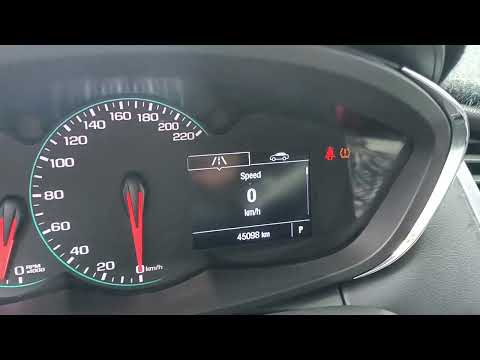
To manually reset the TPMS light on your Chevrolet Trax, follow these steps. First, get inside the car and turn on the instrument cluster. Immediatel…

Chevrolet Trax
(2013-2022 /
MK 1)
Thanks to the steps described in the following guide aimed at all of you who own a first-generation Chevrolet Trax, you will be able to find the OBD2…
Other guides you may be interested in
|
How to Reset the Tire Pressure Light on a MG ZS?
On the instrument cluster of the MG ZS, the tire pressure light that appears can be reset by inflating the tires to the correct pressure: this value will be indicated on the sticker attached to the driver's door pillar. Once the tires have been properly inflated, you can turn on the instrument cluster and navigate through the menu until you find the option that indicates tire pressure: if this screen shows the new values, the light will turn off; otherwise, you will need to drive for a few miles so that the sensors can read the new values and turn off the light afterward. by ScegliAuto More videos
|
|
For advertising on this site Write to info@scegliauto.com
ScegliAuto is not responsible for any inaccuracy of the data in the lists. To report any inaccuracy or your business (if you own the business in question), please write to info@scegliauto.com
Number of seconds to generate the page: 0.024
(c) ScegliAuto 2026 - info@scegliauto.com - Privacy policy VAT number: IT01247470535 |
