
|
Do it yourself
| |||
| ||||


How to reset the oil light on the Chevrolet Cruze
Model: Chevrolet Cruze
D2lc-K, D2lc
- Years 2016-2023
Today we will see how to reset the oil light after replacing it on a Chevrolet Cruze vehicle. Turn on the instrument panel and press the menu button on the left lever of the steering wheel. Press the button repeatedly to access the service menu. Select the wrench icon and press on it for 10 seconds to activate the reset of the light and update the mileage to the next oil change. If the reset does not occur, it will be necessary to go to an authorized workshop to have a computerized diagnosis performed.
Posted on 6 July 2025 by ScegliAuto
Video tutorial
Related tutorials
Chevrolet Cruze
(2009-2015 /
J300, MK 1)
To manually reset the oil light on your Chevrolet Cruze dashboard, simply follow these steps. It is a relatively simple operation and if you follow t…
Chevrolet Cruze
(2009-2015 /
J300, MK 1)
If the oil light on your 2013 Chevrolet Cruze's instrument panel remains illuminated even after changing the oil and filter, you must perform a manua…
Chevrolet Cruze
(2009-2015 /
J300, MK 1)
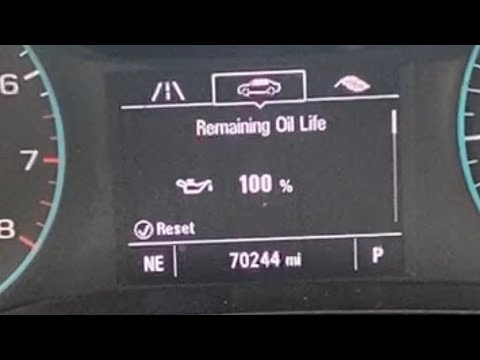
To correctly reset the engine oil light on your Chevrolet Cruze (year 2009-2015), it is sufficient to follow a very simple procedure that is practica…
Other guides you may be interested in
|
How to Remove the Diesel Filter on a Ford Focus
How to remove the diesel filter on a Ford Focus? Lift the car on a column lift or suitable jack (if necessary), locate the diesel filter as shown in the video. Use a screwdriver to unscrew the metal piece that secures the filter (you can also use a socket spanner). After disconnecting all the circulation pipes and the fuel cable: remove the diesel filter housing from the vehicle (replace it with a new one). Finally, refit the filter to the attached diesel filter housing (connect the pipes and cables) and tighten the appropriate bolts. Close the bonnet. by ScegliAuto More videos
|
|
For advertising on this site Write to info@scegliauto.com
ScegliAuto is not responsible for any inaccuracy of the data in the lists. To report any inaccuracy or your business (if you own the business in question), please write to info@scegliauto.com
Number of seconds to generate the page: 0.055
(c) ScegliAuto 2026 - info@scegliauto.com - Privacy policy VAT number: IT01247470535 |
