
|
Do it yourself
| |||
| ||||


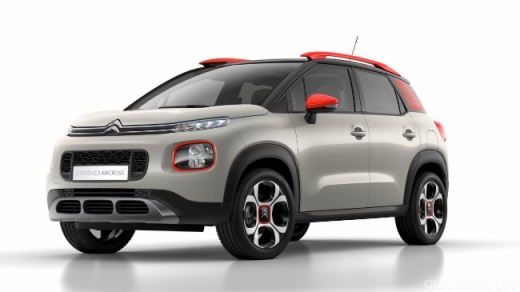
How to update the on-board computer of the Citroen C3 Aircross
Model: Citroen C3 Aircross
MK 1
- Years 2017-2024
Today we will show you how to update the onboard computer software of the Citroen C3 Aircross. To perform the software update, it is important to have a USB key of at least 32 gigabytes. We access "My Citroen" via the app or website, after registering we access our account. From the screen, it will be possible to check the updates made and those to be made, we download the update to our PC or phone and upload it to a USB drive. We insert the USB drive into the port and let the update be automatically loaded onto the onboard computer. When the update is completed, we follow the instructions and restart the instrument panel.
Posted on 12 December 2024 by ScegliAuto
Video tutorial
Related tutorials
Citroen C3 Aircross
(2017-2024 /
MK 1)
In this video tutorial, see how to remove and replace the front headlight bulbs on the Citroen C3 Aircross, as well as on the C5 Aircross. First, ope…

Citroen C3 Aircross
(2017-2024 /
MK 1)
Before you can start, open the rear door of your Citroen C3 Aircross. Begin by pulling towards you the latch located at the lower outer corner of the…

Citroen C3 Aircross
(2017-2024 /
MK 1)
If you have a 2020 Citroen C3 Aircross and want to find out where the fuse box containing all the various fuses is located, carefully read the follow…
Other guides you may be interested in
|
How to Open a Stuck Boot on the Peugeot 407?
On the Peugeot 407, the boot may become stuck, possibly due to a problem with the control button or the lock actuator. In such cases, you can perform an emergency opening by following the simple procedure shown in this tutorial. First, open the rear doors, then lower the seat back by operating the release lever. Next, go inside the boot, locate the lock, and manually operate it using a flathead screwdriver. The boot will then be free to open. by ScegliAuto More videos
|
|
For advertising on this site Write to info@scegliauto.com
ScegliAuto is not responsible for any inaccuracy of the data in the lists. To report any inaccuracy or your business (if you own the business in question), please write to info@scegliauto.com
Number of seconds to generate the page: 0.286
(c) ScegliAuto 2026 - info@scegliauto.com - Privacy policy VAT number: IT01247470535 |
