
|
Do it yourself
| |||
| ||||


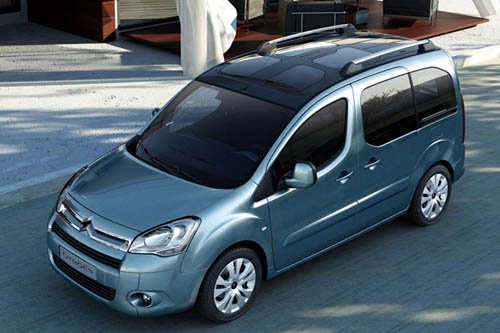
How to Reset the Service Light on the Citroen Berlingo?
Model: Citroen Berlingo
MK 2
- Years:
2008, 2009, 2010, 2011, 2012, 2013, 2014, 2015, 2016, 2017, 2018
Video tutorial
Resetting the service light on a Citroen Berlingo is one of the simplest tasks. As explained in the video, first ensure the car is completely off, then locate the reset button on the dashboard. Once found (it is right next to the speedometer), press and hold it while turning the key to position 1 to turn on the dashboard. You will see a countdown of ten seconds on the display: continue holding the reset button during this time. Once done, release the button and restart the dashboard to check that the reset was successful.
Posted on 25 September 2026 by ScegliAuto
Related tutorials
Citroen Berlingo
(2018-2026 /
MK 3)
To reset the Service light on the Citroën Berlingo, press and hold the button located in the central lower part of the instrument cluster, which has …

Citroen Berlingo
(2008-2018 /
MK 2)
Performing the reset of the service light allows us to complete the car maintenance operation and update the kilometers to the next service. On a Cit…

Citroen Berlingo
(2018-2026 /
MK 3)
By watching the attached tutorial video, you will see how easy it is to DIY reset the service light on the 2025 Citroen Berlingo. After turning on th…
Other guides you may be interested in
|
How to Open the Fuel Door of the MG ZS?
To open the fuel door of the MG ZS, access the interior of the vehicle to locate the lever that unlocks the fuel door. This lever is located on the lower left side of the dashboard, near the steering column. Pull the lever to open the fuel door, allowing you to unscrew the cap underneath for refueling. After refueling, replace the fuel cap and securely close the fuel door. by ScegliAuto More videos
|
|
For advertising on this site Write to info@scegliauto.com
ScegliAuto is not responsible for any inaccuracy of the data in the lists. To report any inaccuracy or your business (if you own the business in question), please write to info@scegliauto.com
Number of seconds to generate the page: 0.071
(c) ScegliAuto 2026 - info@scegliauto.com - Privacy policy VAT number: IT01247470535 |
